
Create User
To create a new user, follow the steps below:
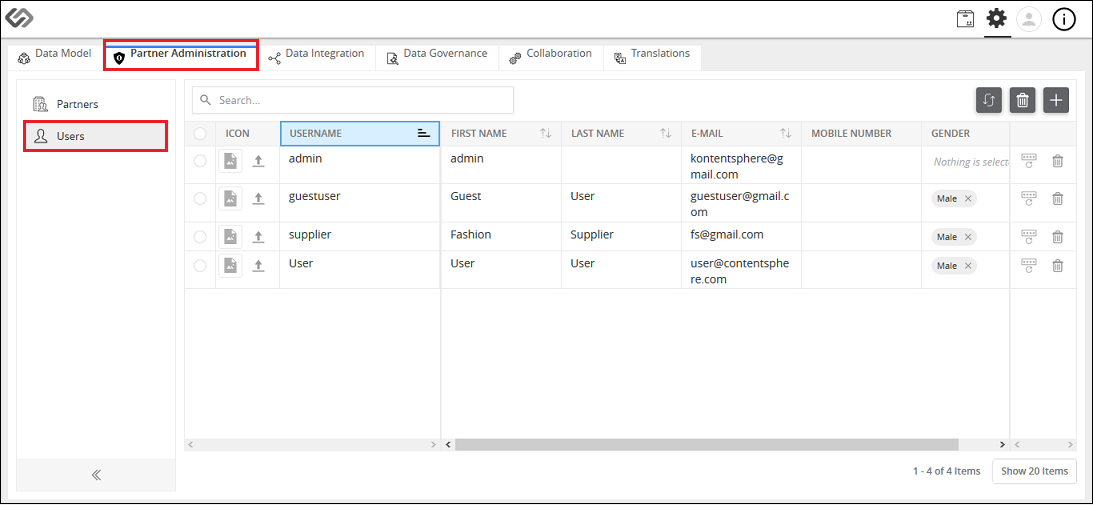
- Log in to the application and click on the Administration button.

- Go to the Partner Administration tab, then to Users.
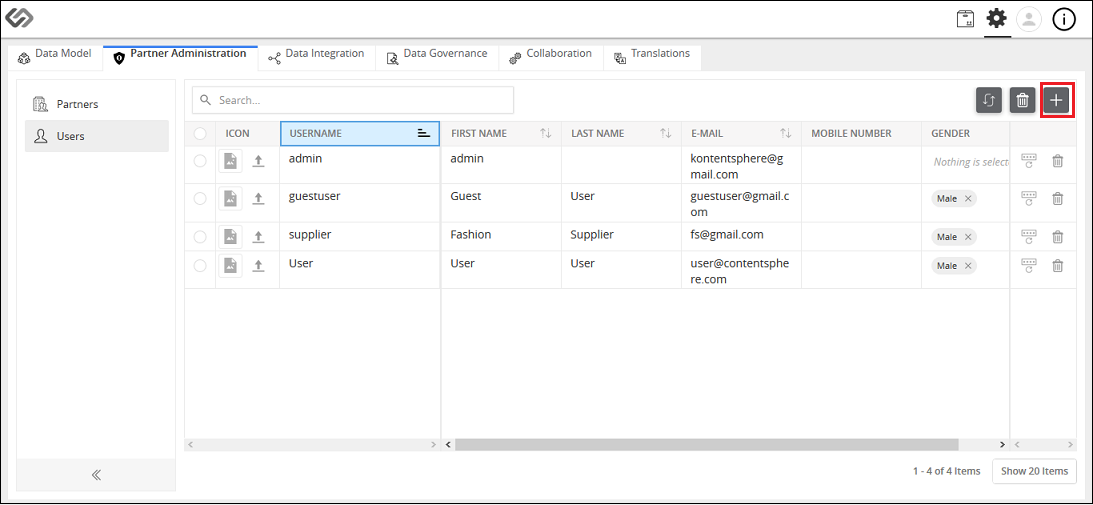
- Click the “+” icon to create a new user.
- Provide the following details: First Name, Last Name, Username, Password, Confirm Password, E-Mail, Mobile Number, and Gender. Click on the Create button.
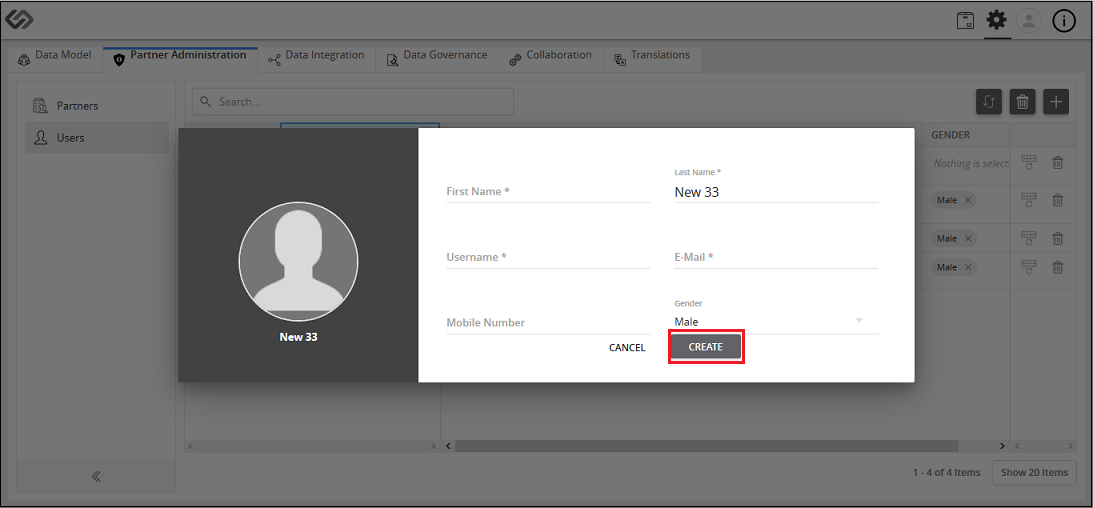
Create User: Screen Elements
The following details are to be provided to be able to create a new user in the system.
| Sr No | Screen Element | Description |
|---|---|---|
| 1 | First Name | Specify the first name of a user. |
| 2 | Last Name | Specify the last name of a user. |
| 3 | Username | Specify the username, which will be used to authenticate a user when logging into the system. |
| 4 | Password | Specify the password, which will be used to authenticate a user when logging into the system. |
| 5 | Confirm Password | Re-enter the password to confirm it. |
| 6 | Specify the email address of a user. | |
| 7 | Mobile Number | Specify the mobile number of a user. |
| 8 | Gender | Specify the gender of a user. |
| 9 | Save | Click on Save button to save the details of a user. |
| 10 | Cancel | Click on Cancel button to cancel the details of a user. |

Last updated: Jul 27, 2018