Help Center

Manage Sales and Order Units

Manage Sales and Order Units lets you tag various quantity units as sales or order units.

Key Term:
  • Product Information Management (PIM): facilitates the central management and maintenance of an enterprise’s product data, content or any related information.
Description:
  • Base unit is the smallest measurement unit that cannot be divided further or the item itself in its single quantity. (Example: a single can of Red Bull)
  • Sales unit is any item that is sellable to the customer. (Example: a single can of Red Bull, a pack of 24 Red Bull cans, and minced meat)
  • Order unit can be tagged to products that are in large quantity. These items are usually not intended to be sold to an end customer. These units are usually tagged to products a retailer orders from the wholesaler or manufacturer. (Example: a box or 30 beer bottles, a large box of vegetables)
  • Some products can be classified as sales unit and order unit.
Related topics:
Application:
  • Use these tags to distinguish whether an article is a sales unit or an order unit.

  • A base unit is tagged to the single item. A base unit article is usually tagged as a sales unit. (Example: For a carton of Red Bull cans, the base unit is a single Red Bull can)

  • Example:

    Retailer orders in bulk and sells the pieces to the customer so it is important to keep track whether an item is a sales unit, base unit, or order unit.

How-to: Manage Sales and Order Units

Keeping track of items as sales units and order units is easy, and here’s how to do it.


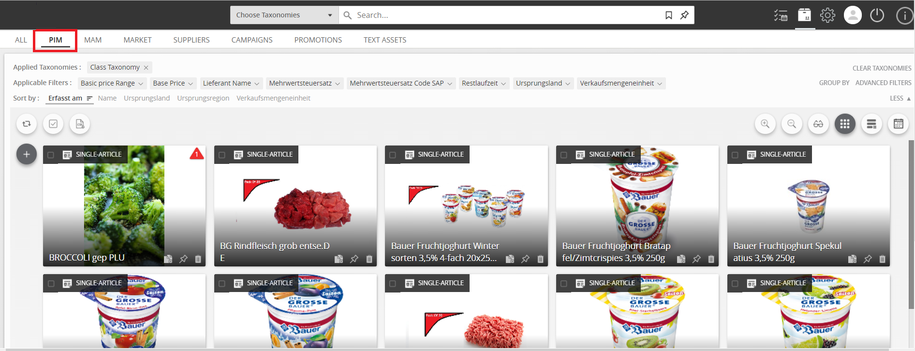
  1. Go to PIM.
../../../../../_images/salesandorder_gotopim.PNG


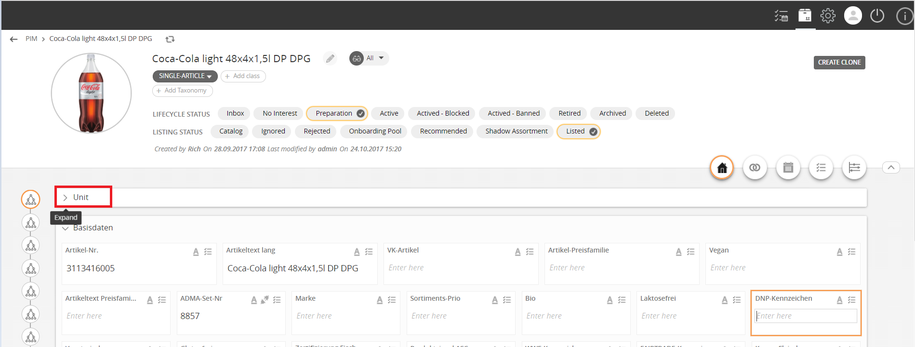
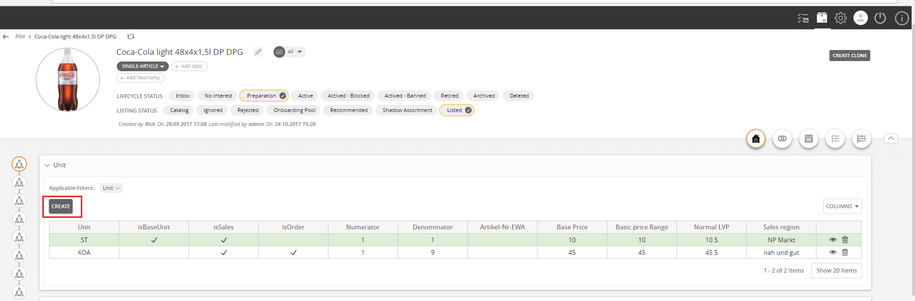
  1. Select a product and click Unit.
../../../../../_images/salesandorder_selectproduct.PNG


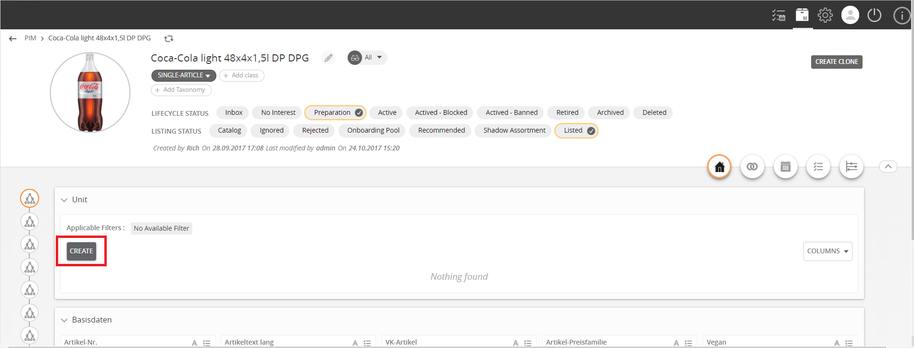
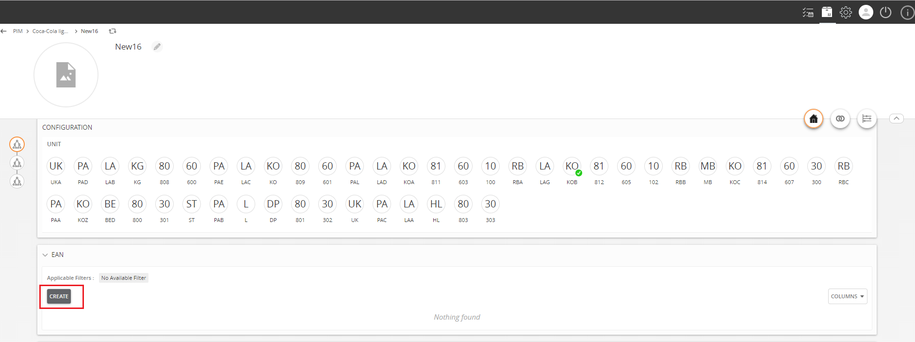
  1. Click Create.
../../../../../_images/salesandorder_create.PNG


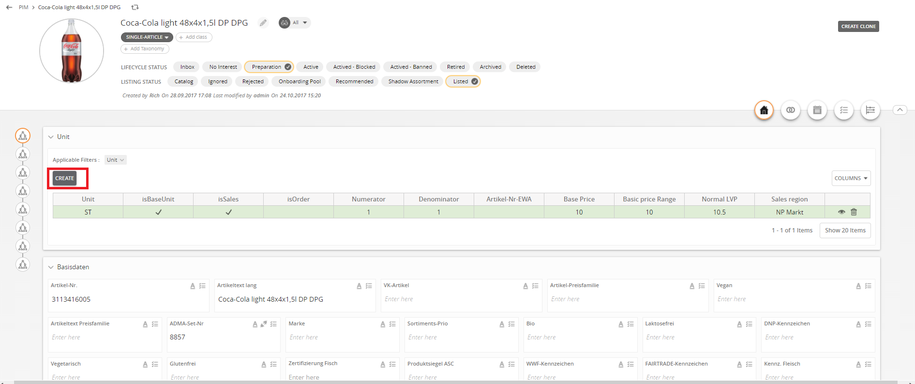
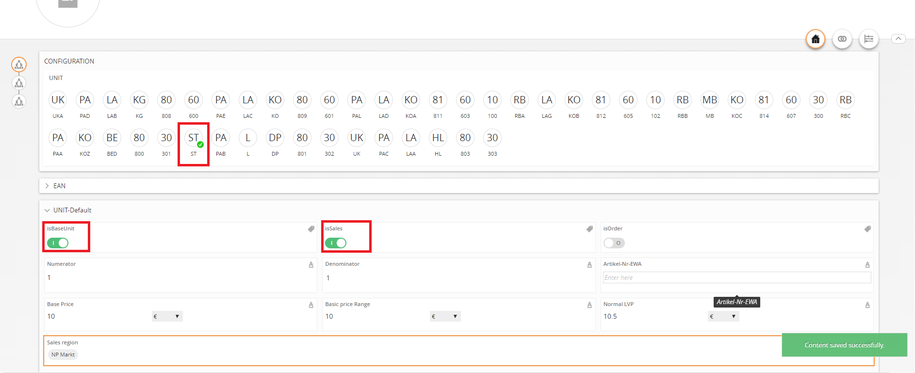
  1. For the base unit, use ST as measurement unit. ST is the smallest measurement unit that cannot be divided further. ST can be a base unit or a sales unit.
../../../../../_images/salesandorder_usest.PNG


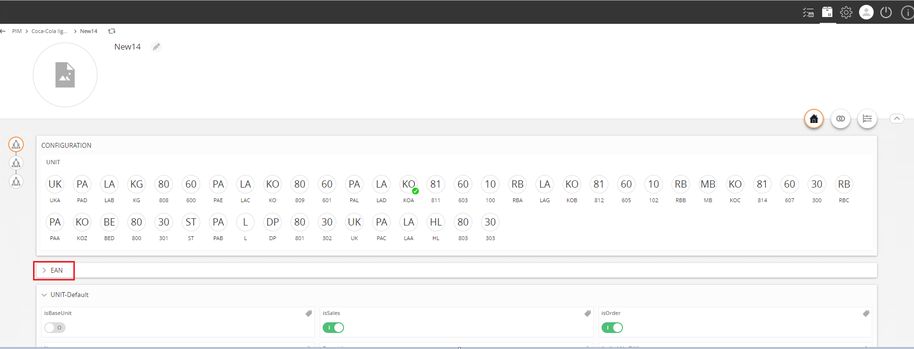
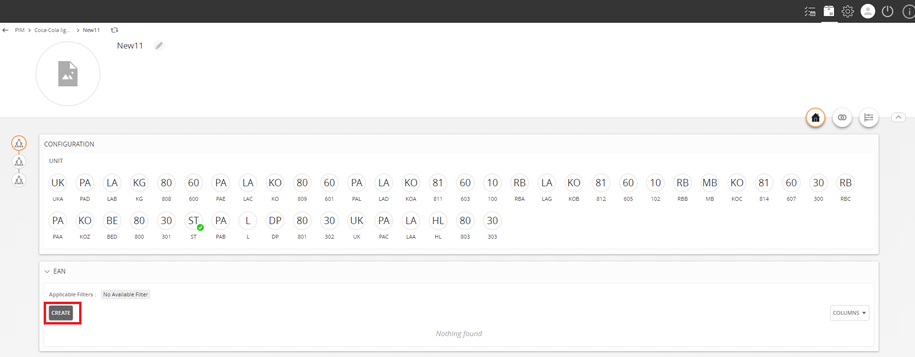
  1. Enter the details of the EAN. Use IE for Internal Supplier.
../../../../../_images/salesandorder_eandetails.PNG


Sales and Order Unit


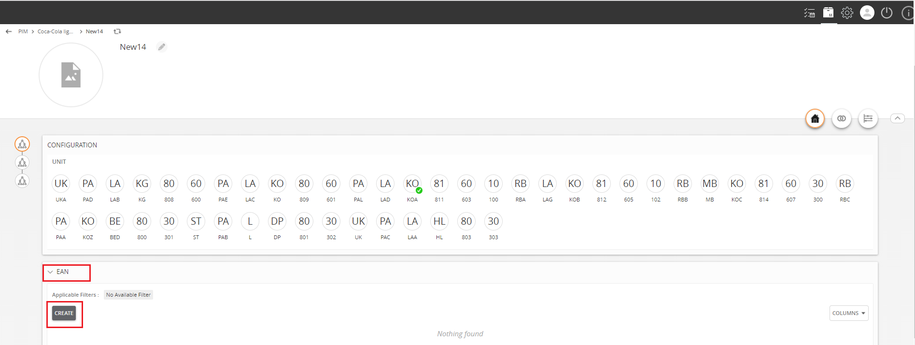
  1. Click Create.
../../../../../_images/salesandorder_create2.PNG


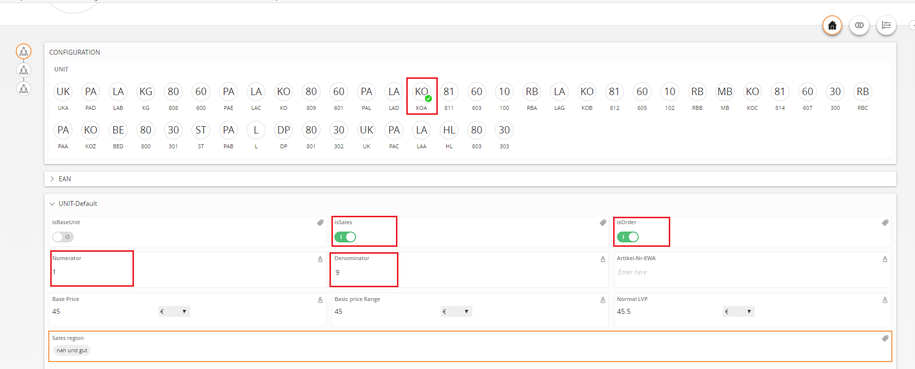
  1. The amount of KOA unit is 9, which can be used as the sales and order unit.
../../../../../_images/salesandorder_koa.PNG


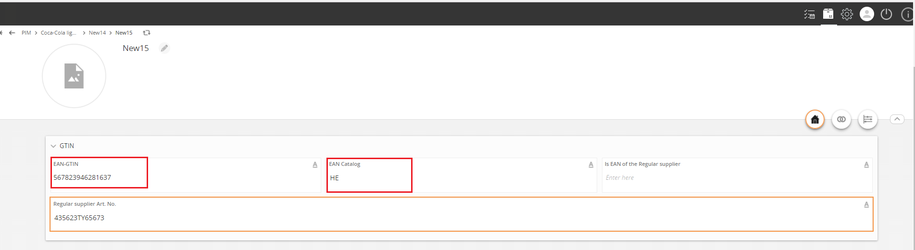
  1. Enter the details of the EAN.
../../../../../_images/salesandorder_eandetails1.PNG

../../../../../_images/salesandorder_eandetails1a.PNG


  1. Use HE to refer to External Supplier.
../../../../../_images/salesandorder_externalsupplier.PNG


Order Unit (Bulk Order)


  1. Click Create.
../../../../../_images/salesandorder_create3.PNG


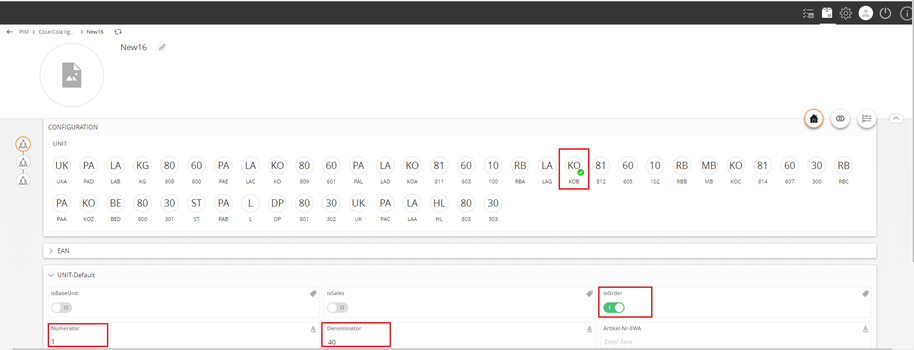
  1. The amount of KOB unit is 40, which can be used as the order unit.
../../../../../_images/salesandorder_kob.PNG


  1. Enter the details of the EAN.
../../../../../_images/salesandorder_eandetails2.PNG


Contentserv line

Last updated: Jul 27, 2018