Help Center

Manage Units for Individual Articles

Manage Units for Individual Articles allows you to efficiently handle various quantity units of the individual articles.

Key Term:
  • Taxonomy: a taxonomy is a scheme of classification used for an organization’s products.
Description:
  • Individual articles can have different units of measure such as a carton, can, box, cassette, cartridge, pounds, and kilograms. Therefore, handling the products in various units of measure is necessary for both retailers and wholesalers.
  • Being able to track the units in a tabular form allows for a more efficient handling operation.
Related topics:
Application:
  • Enable the system to handle not only multiple units but also similar units with different meanings.

  • Example:

    Let’s take for instance a can of the energy drink “Red Bull”, which is made available in its base unit (1 can), a box of 30, a carton of 35 and so on. It is important for the retailer to have the capability to handle these units that are of different quantities.

How-to: Manage Units for Individual Articles

Easily manage the units for individual articles, and here’s how to do it.


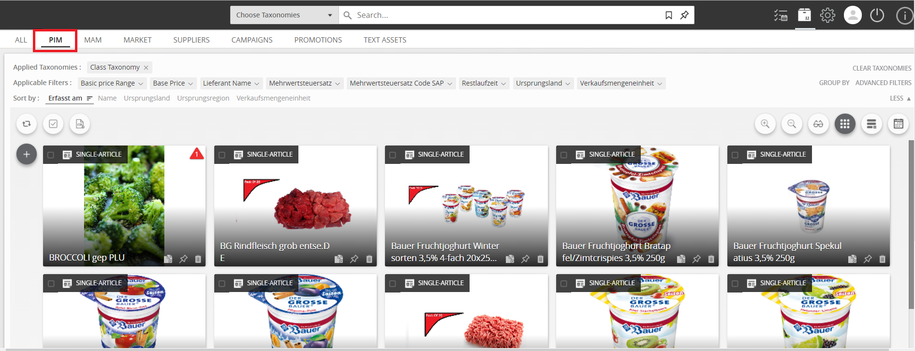
  1. Go to PIM.
../../../../../_images/individualarticles_gotopim.PNG


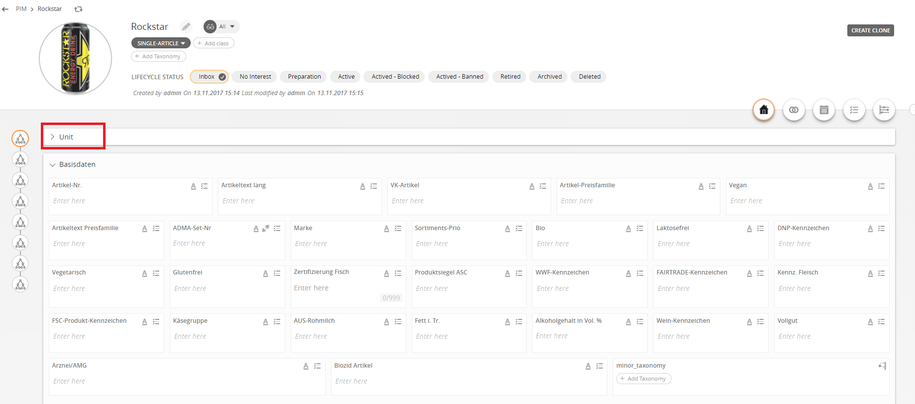
  1. Select a product and click Unit.
../../../../../_images/individualarticles_selectproduct.PNG


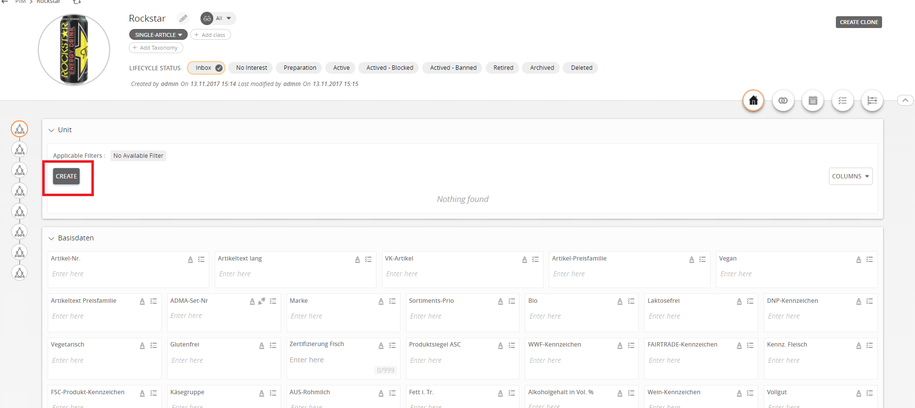
  1. Click Create.
../../../../../_images/individualarticles_create.PNG


  1. Select the unit tag and enter a name for the unit.
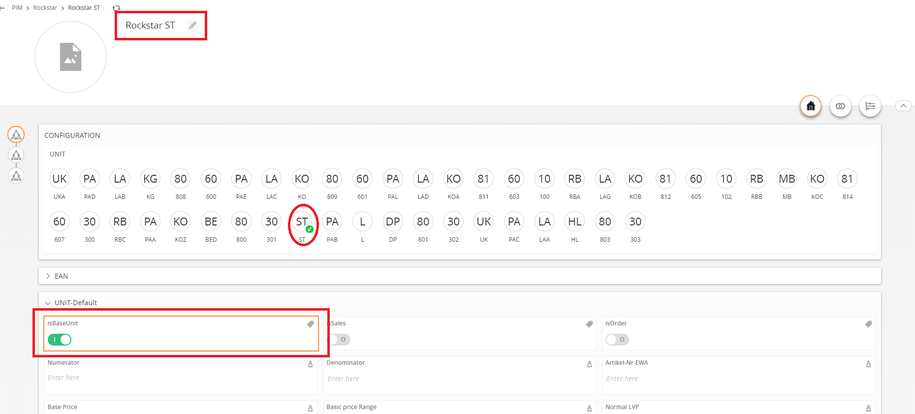
../../../../../_images/individualarticles_selectunittag.PNG


  1. Click Save.
../../../../../_images/individualarticles_save.PNG


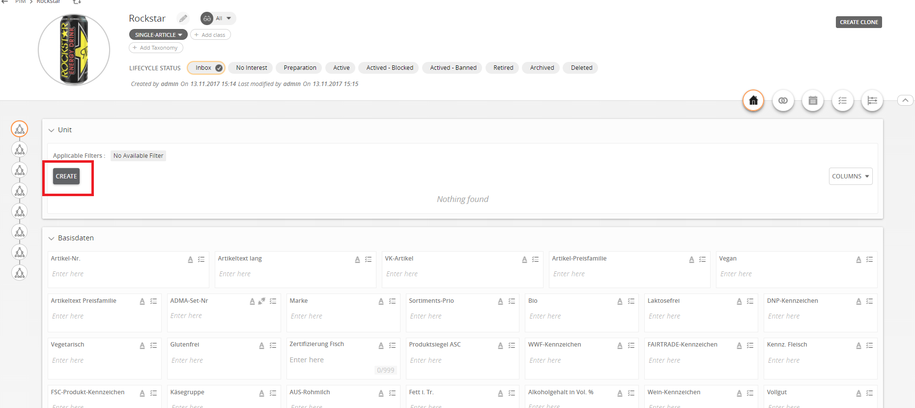
  1. To create another unit, click Create again.
../../../../../_images/individualarticles_createagain.PNG


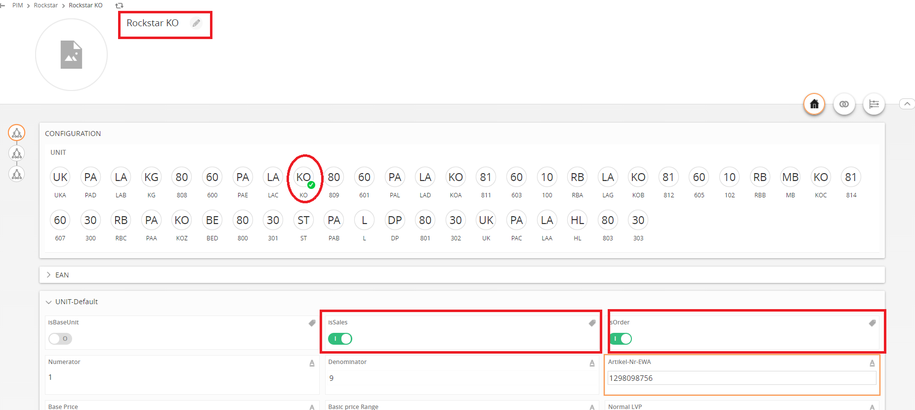
  1. Select the unit tag and enter a name for the unit.
../../../../../_images/individualarticles_selectunittag2.PNG


  1. Click Save.
../../../../../_images/individualarticles_save2.PNG


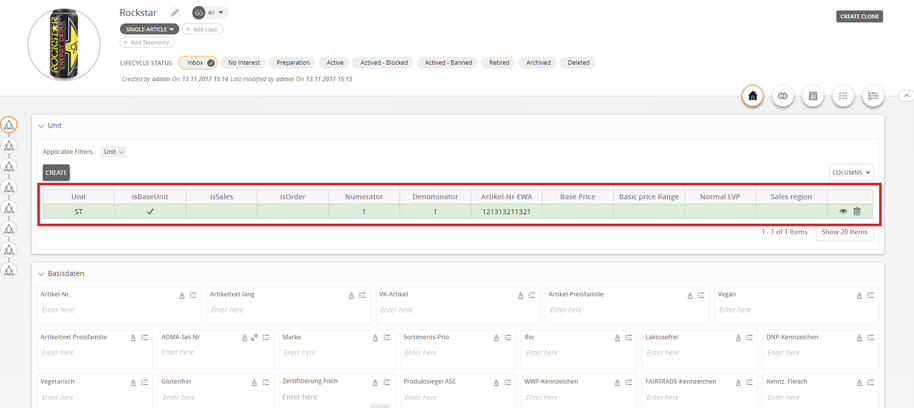
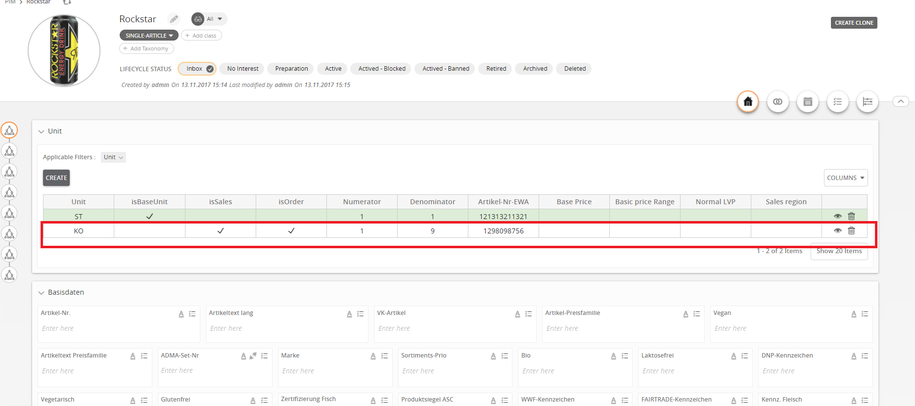
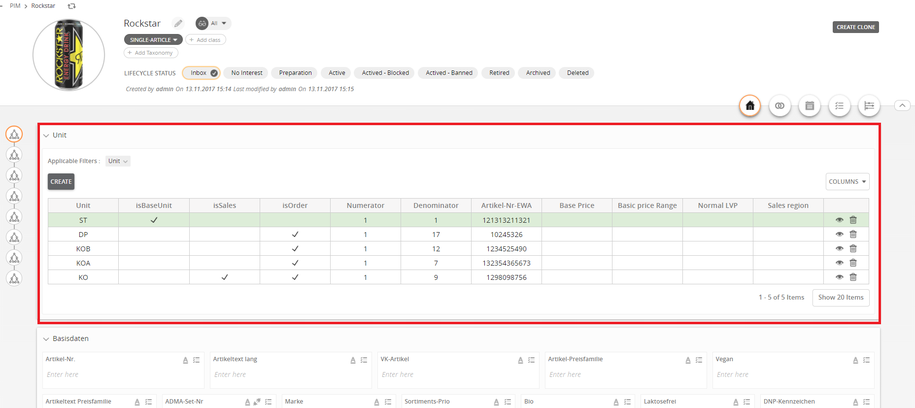
  1. Multiple units are created.
../../../../../_images/individualarticles_multipleunits.PNG


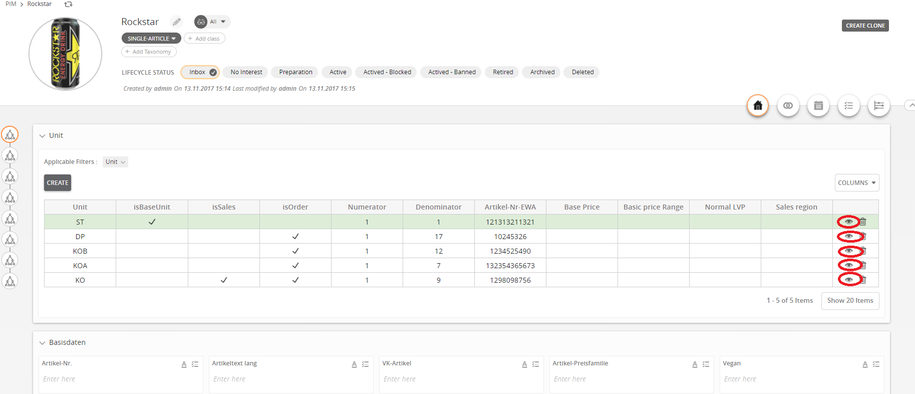
  1. Click the Eye icon to edit the units.

../../../../../_images/individualarticles_edit.PNG


Contentserv line

Last updated: Jul 27, 2018