Help Center

Inheritance via Taxonomy

Inheritance via Taxonomy is a feature that allows an article or product to receive predefined attributes set for a taxonomy.

Key Term:
  • Taxonomy: a taxonomy is a scheme of classification used for an organization’s products.
Description:
  • Inheritance defines a taxonomy, arranging the concepts from generalized to specialized.
  • The user can set the editable attributes and those that are inherited from the taxonomy.
Related topics:
Application:
  • Example:

    Let’s take for instance the energy drink “Red Bull”. It falls under Food & Beverages > Beverages > Energy Drinks. It is common for Beverages to have the properties such as ingredients and important notice so it is necessary for Energy Drinks to inherit such properties.

How-to: Inheritance via Taxonomy

Inheriting a subset of attributes from a taxonomy is easy, and here’s how to do it.


  1. On the home page, click the Administration icon.
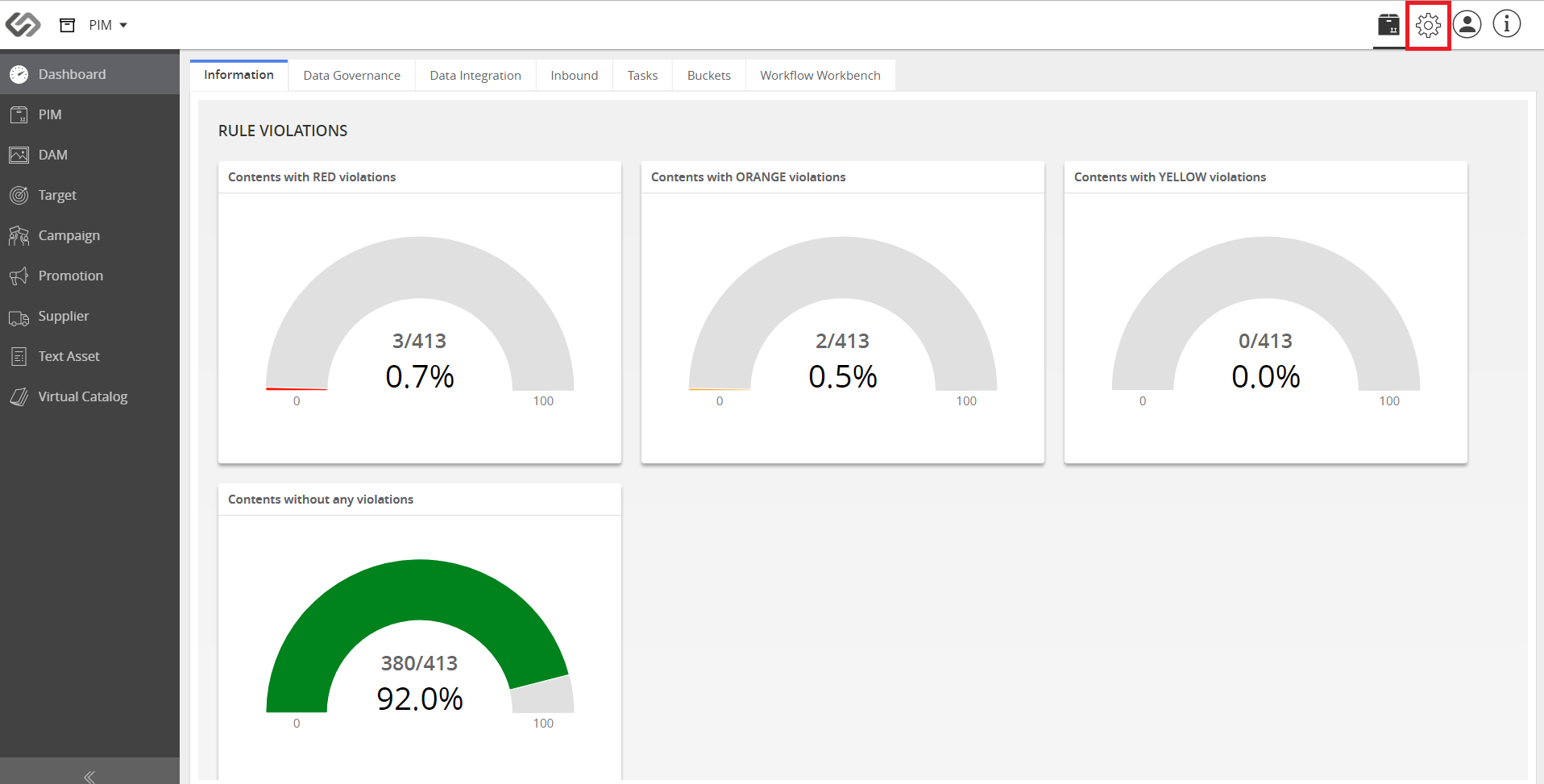
../../../../../_images/cs_inheritance_clickadministration.PNG


  1. On the Data Model tab, click Taxonomies. Then, Master Taxonomies.
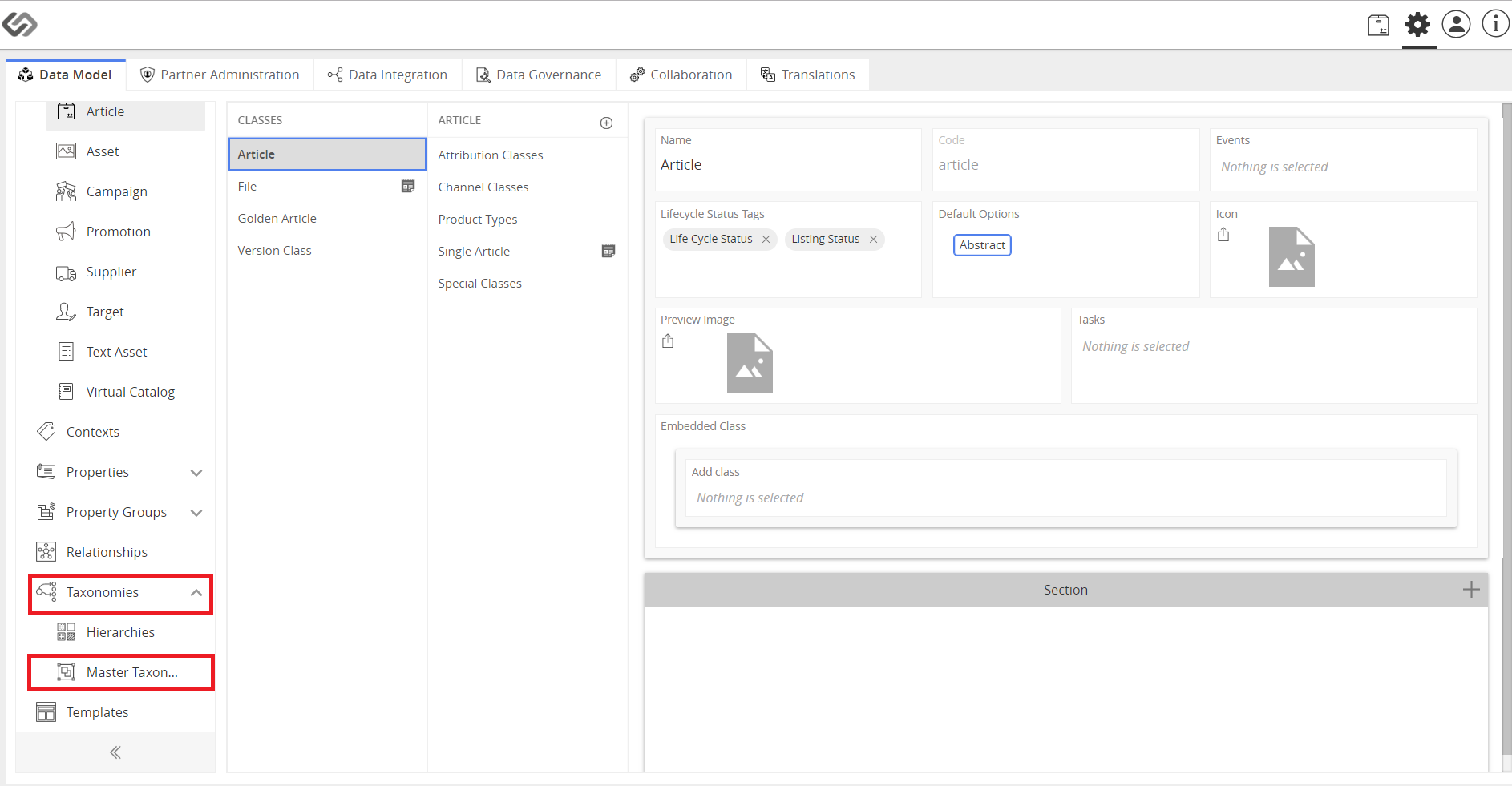
../../../../../_images/cs_inheritance_ondatamodeltab.PNG


  1. Click on the “+” icon to create a new taxonomy and click the Create button.
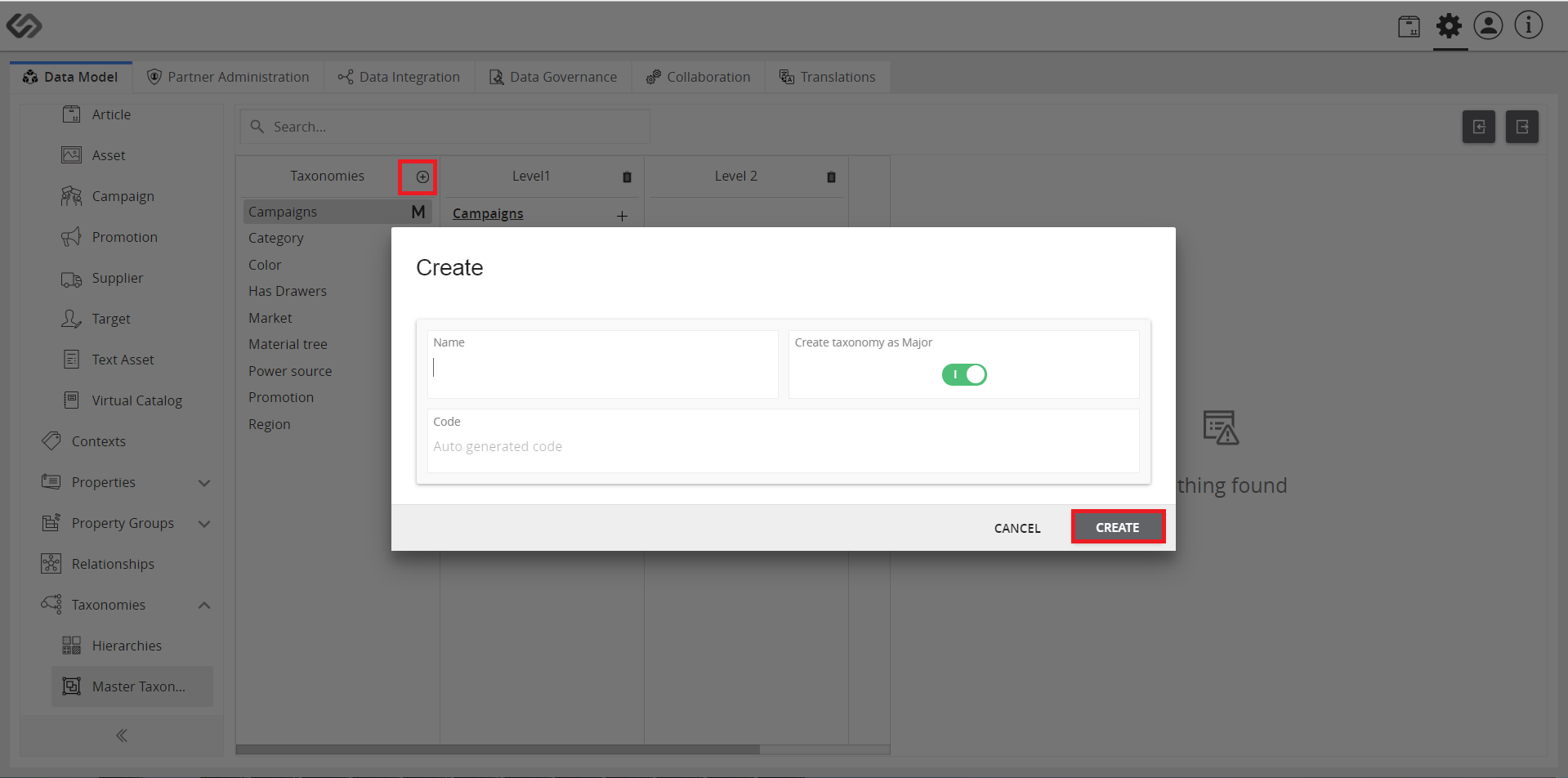
../../../../../_images/cs_inheritance_clickplus.PNG


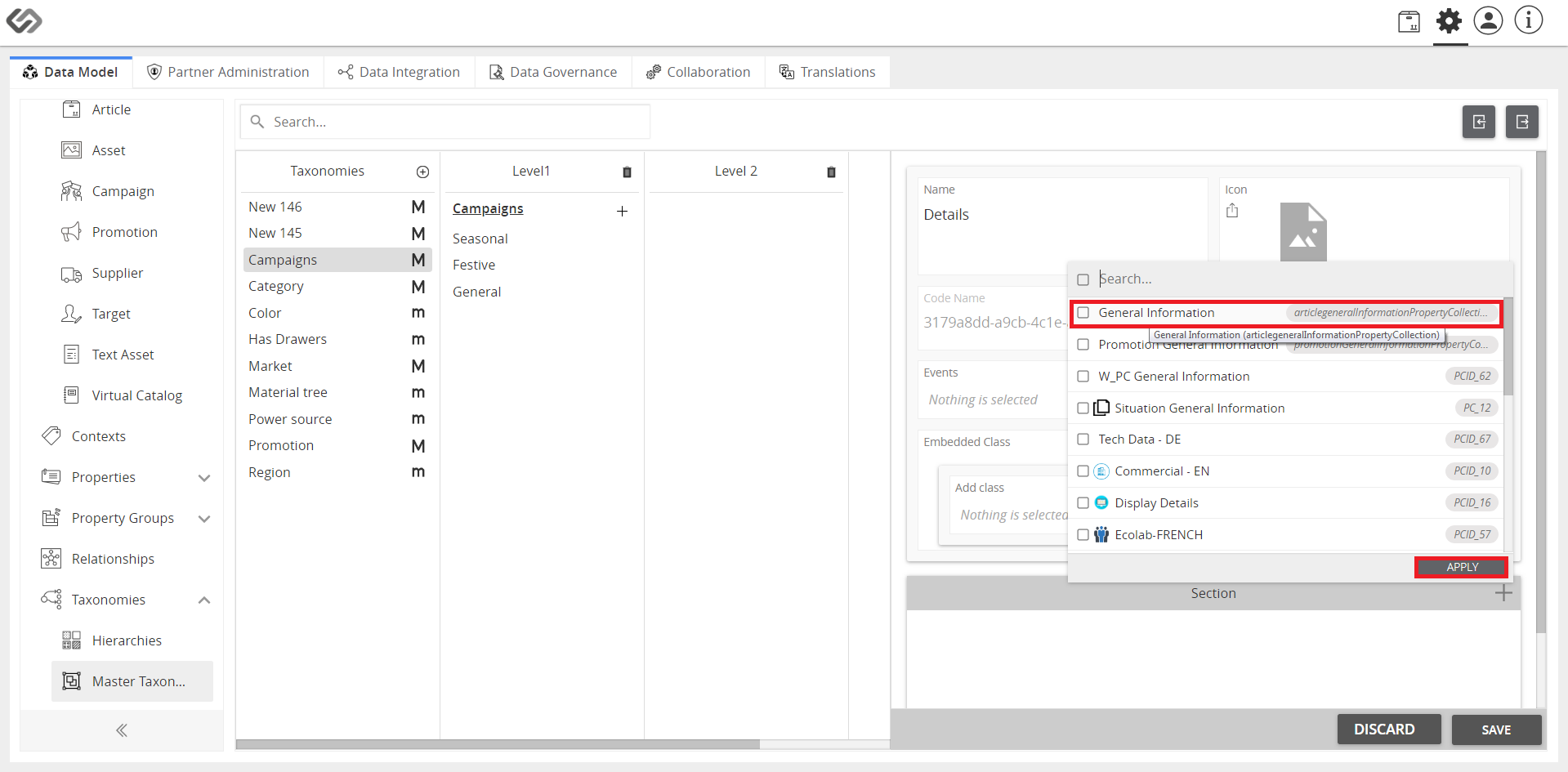
  1. Enter a name for the taxonomy then add property collection. Click Apply button to save the added property collection.
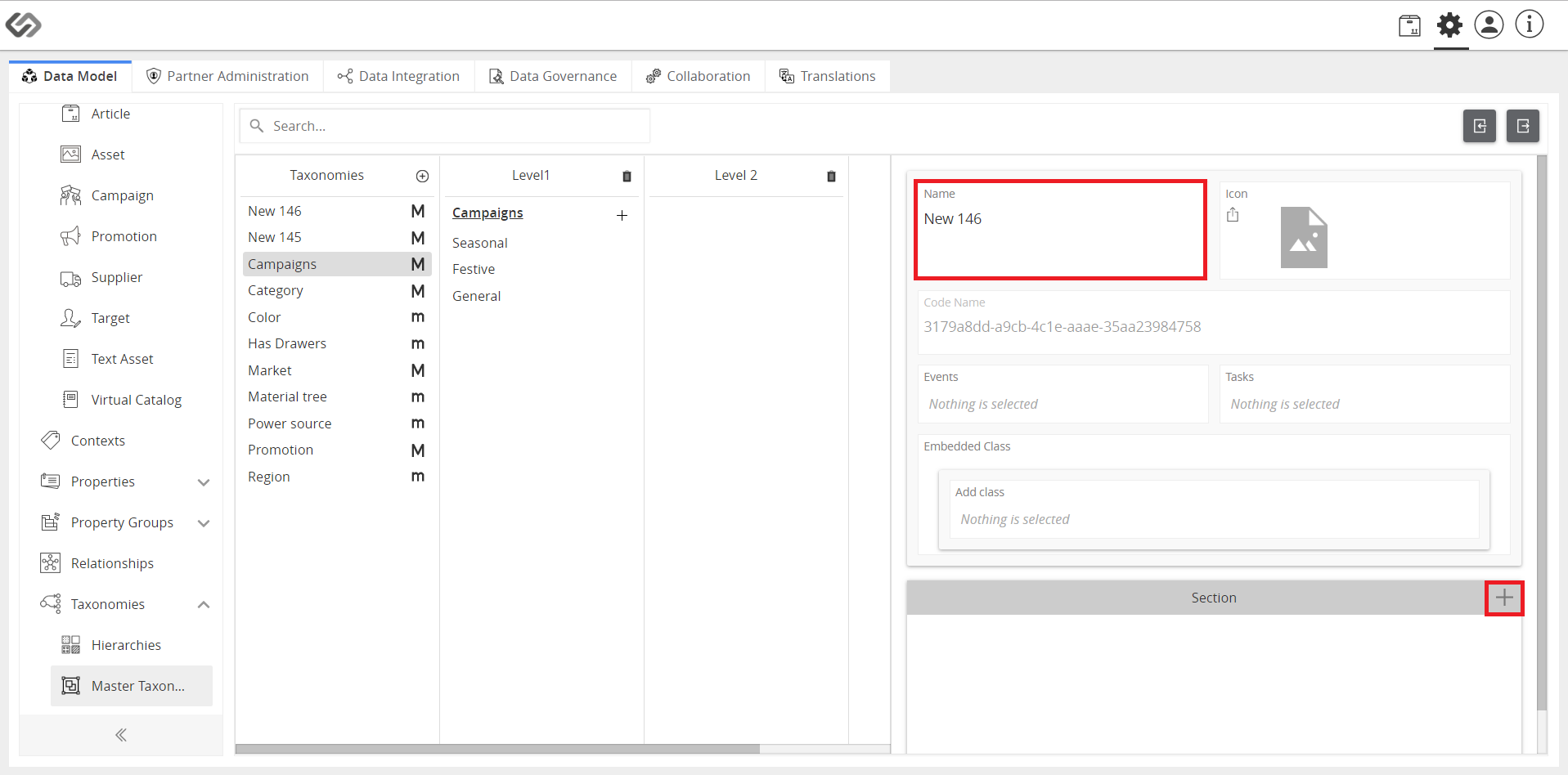
../../../../../_images/cs_inheritance_enternameaddproperty.PNG

../../../../../_images/cs_inheritance_enternameaddproperty2.PNG


  1. Select the type of coupling, enter the default value, and click Save.
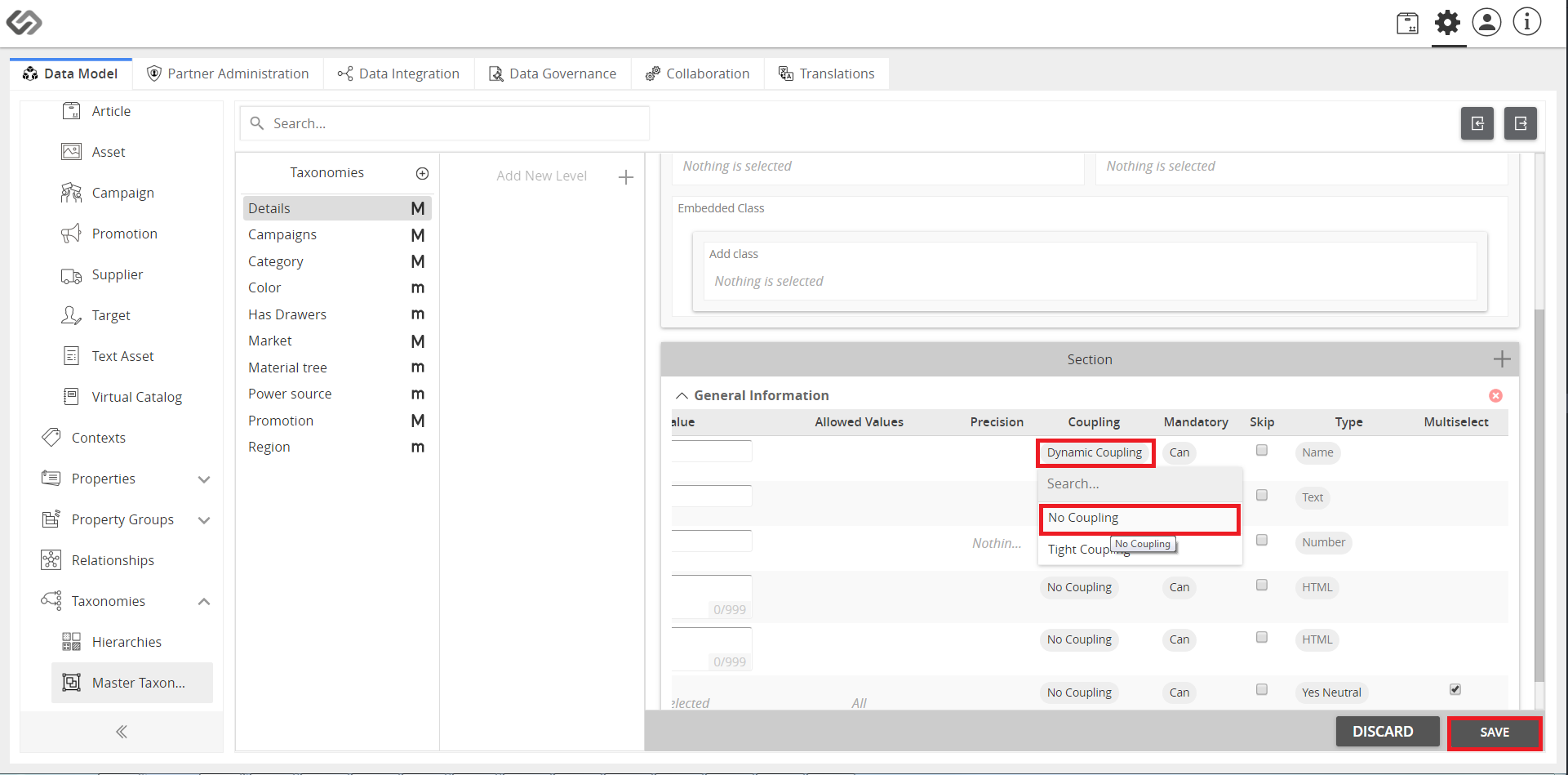
../../../../../_images/cs_inheritance_selecttypecoupling.PNG


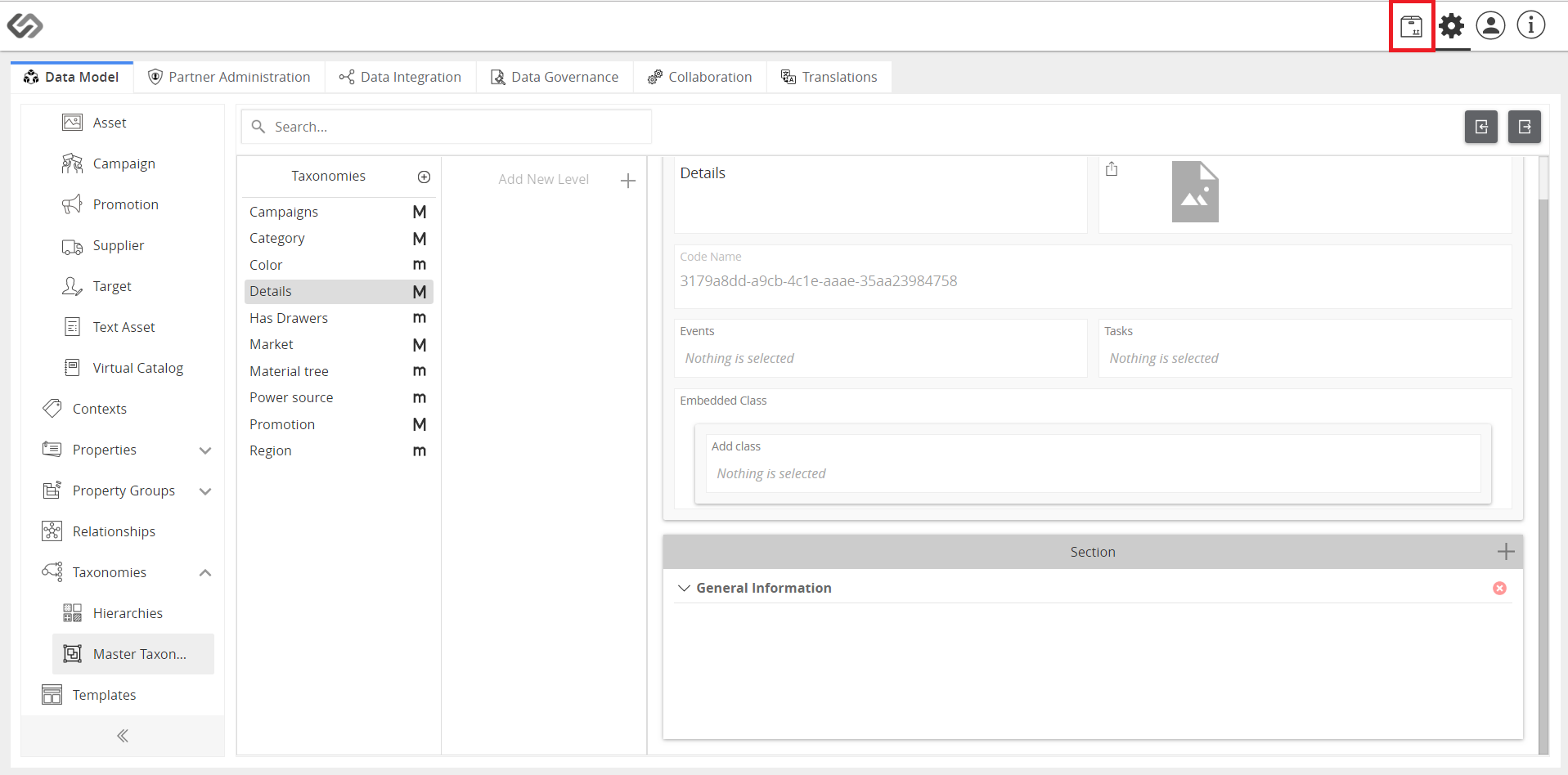
  1. Click Explore icon.
../../../../../_images/cs_inheritance_clickexplore.PNG


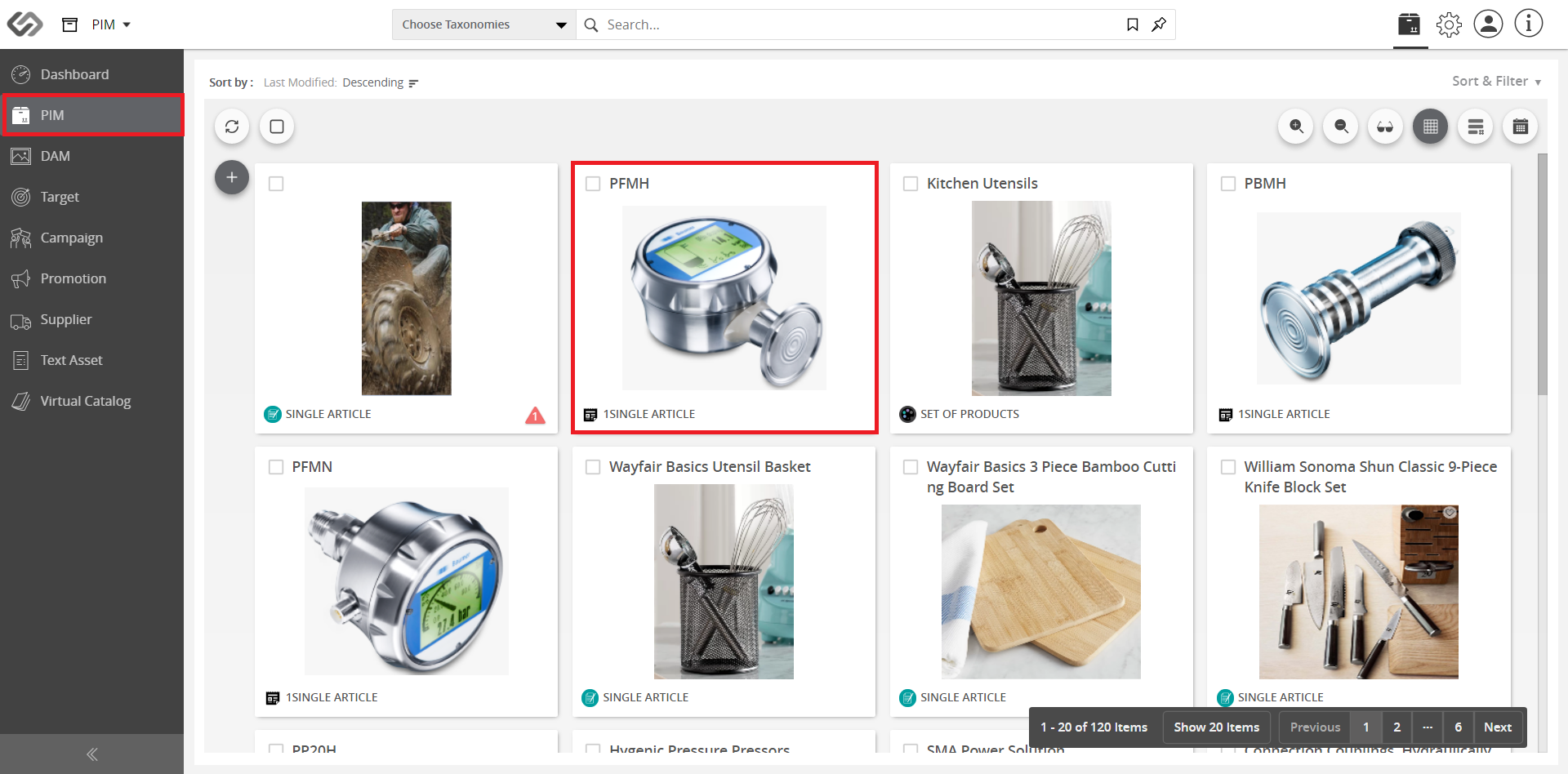
  1. Go to PIM and select your product.
../../../../../_images/cs_inheritance_gotopimselectproduct.PNG


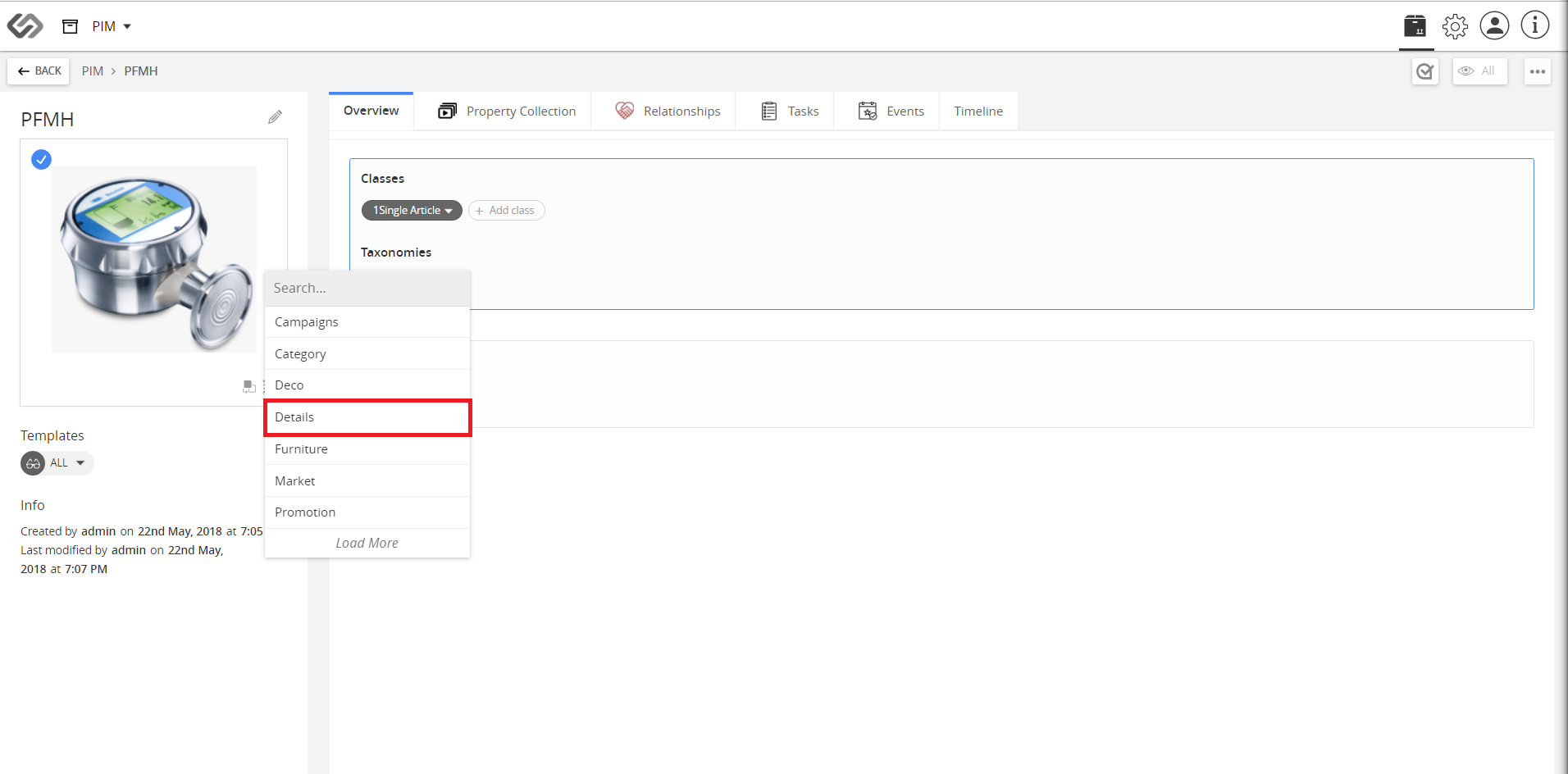
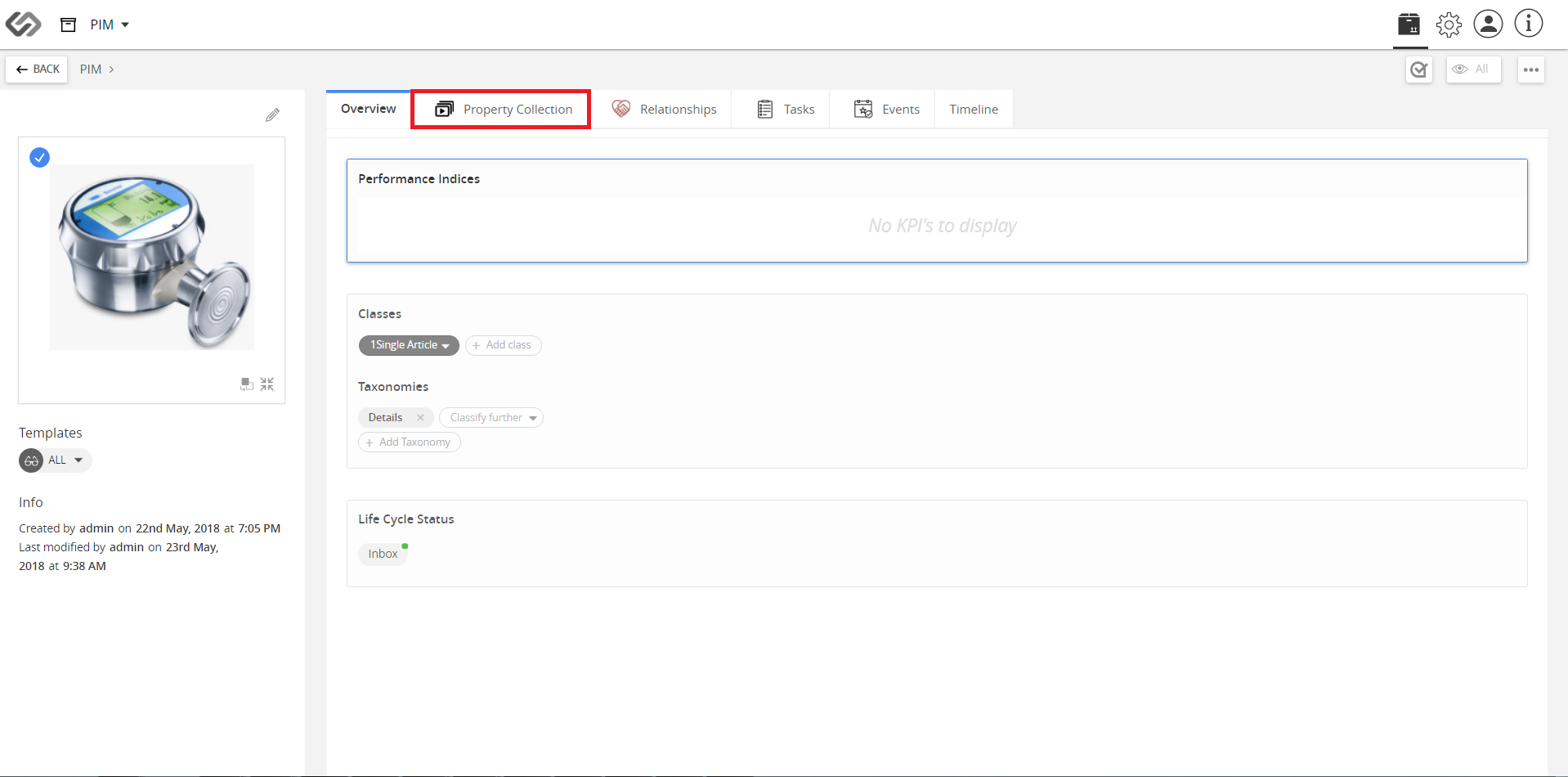
  1. Click Add Taxonomy to add your created taxonomy. Go to Property Collection tab.
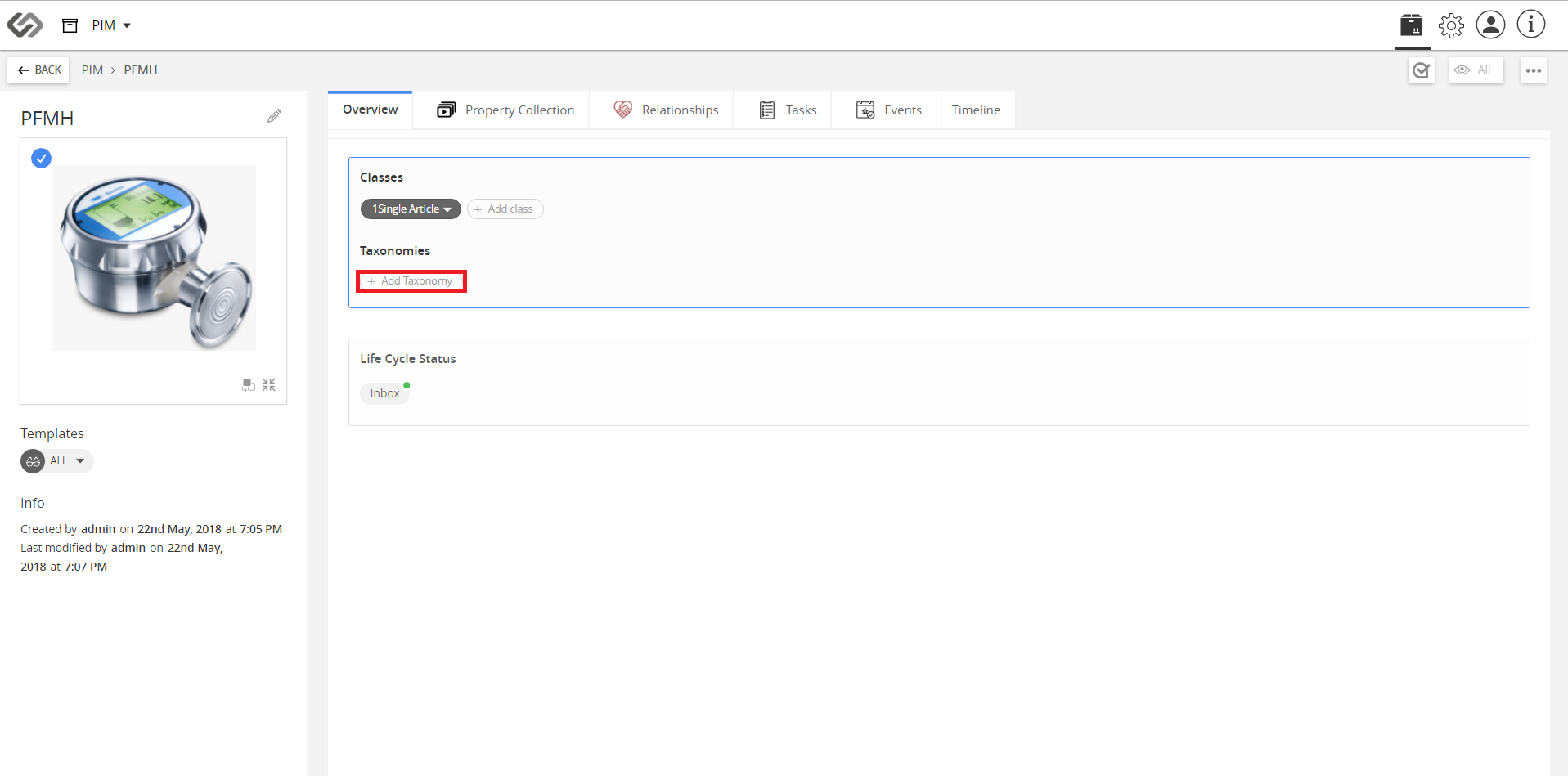
../../../../../_images/cs_inheritance_clickaddtaxonomy.PNG


../../../../../_images/cs_inheritance_clickaddtaxonomy2.PNG


../../../../../_images/cs_inheritance_clickaddtaxonomy3.PNG


Note: Attributes under “Dynamic Coupling” are not editable as these values are inherited. Attributes under “Tight Coupling” can be updated.

Contentserv line

Last updated: Jul 27, 2018