Help Center

Manage Calculated Attributes

The Manage Calculated Attributes is a feature that allows attributes to be calculated by using a formula that takes values from other attributes.

Key Term:
  • Administrator: A technical specialist who configures a software system.
Description:
  • This feature allows attributes to be calculated. A calculated attribute is a read-only field whose value is based on a specified formula that takes values from other defined attributes.
Related topics:
Application:
  • The feature will allow an administrator to set up calculations that will result in a new attribute using the values from other defined attributes.

  • Example:

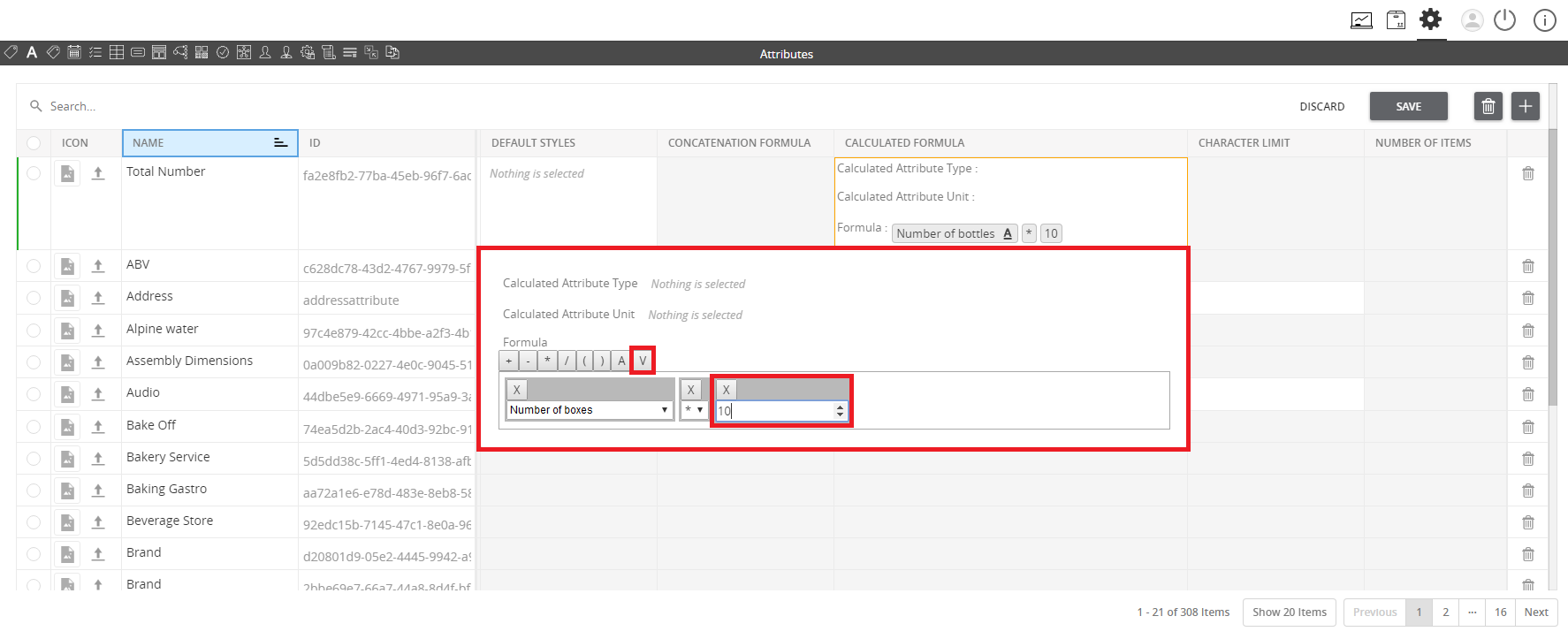
    An administrator sets up an attribute that will calculate the total number of bottles given that a user only defines the number of boxes. In a box, there are 10 bottles. The calculated attribute will then show the total number of bottles depending on the value set for the number of boxes multiplied by 10.

How-to: Manage Calculated Attributes

To do this admin feature, follow the steps below:


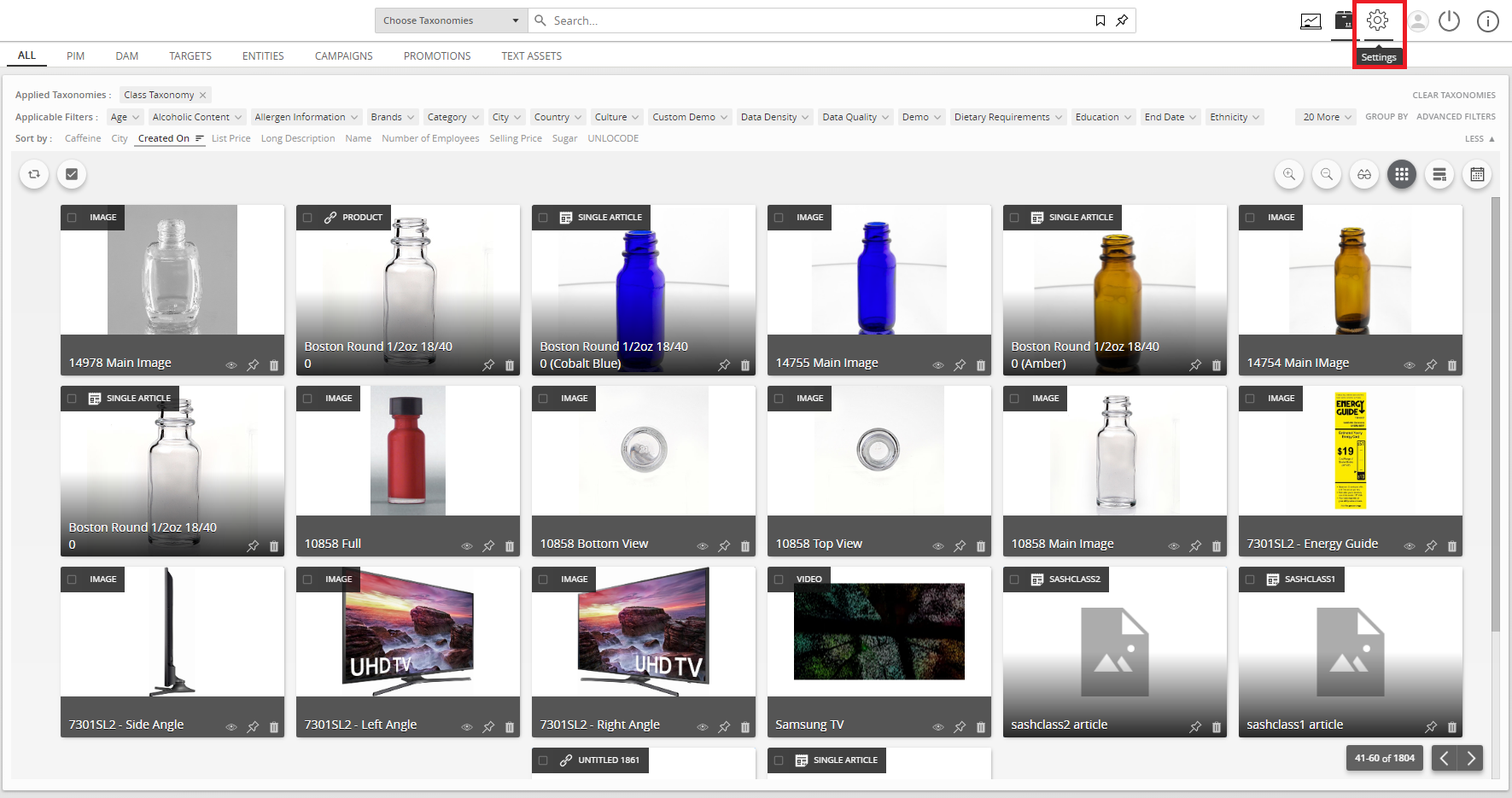
  1. Go to Settings.
../../../../../_images/managecalculatedattributes_gotoconfigsettings.PNG


  1. Go to the Attribute Configuration section.
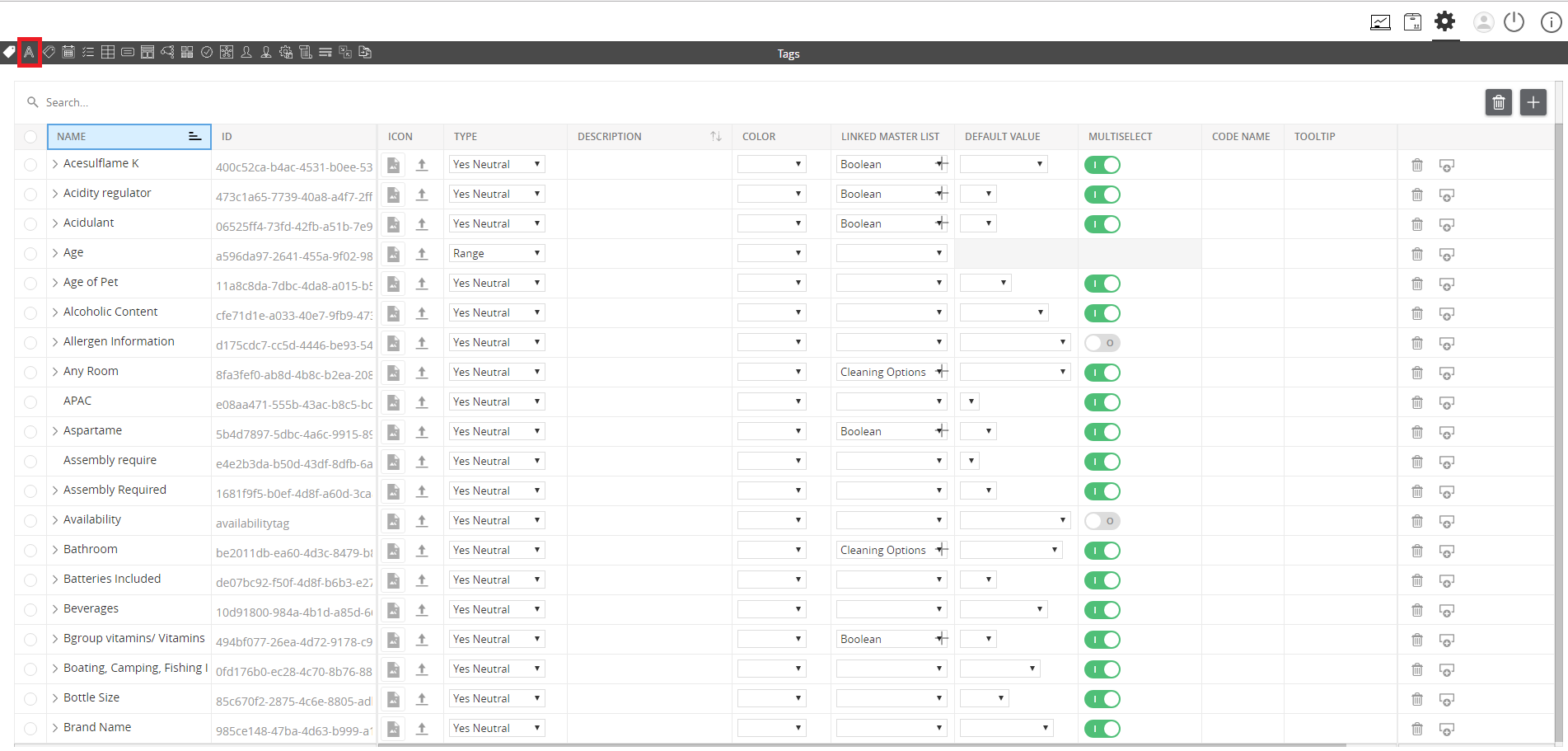
../../../../../_images/managedifferenttypesofattributes_clickonattributeconfigurationsection.PNG


  1. Click the “+” icon to create an attribute.
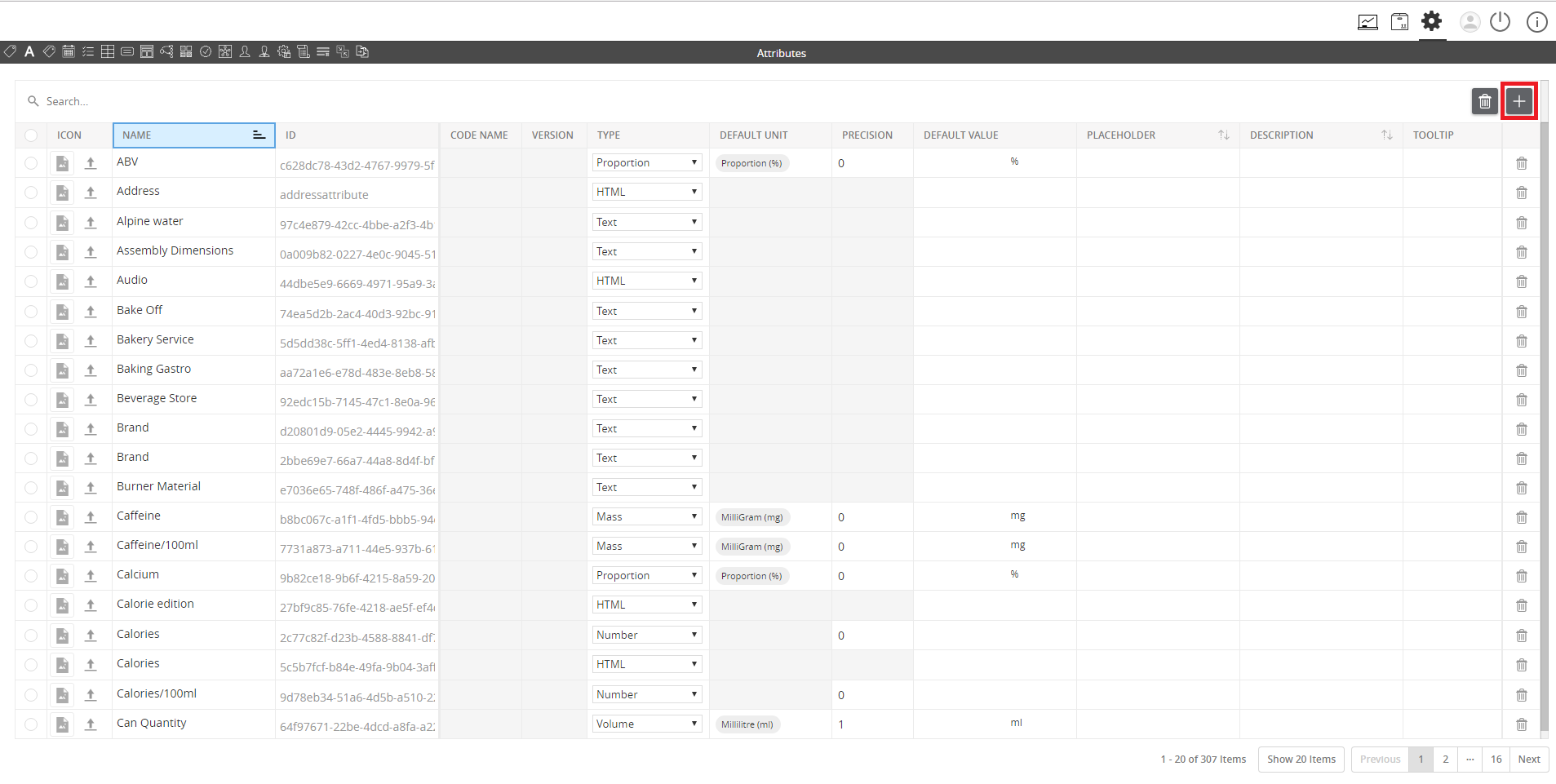
../../../../../_images/managecalculatedattributes_clicktheicontocreateanattribute.PNG


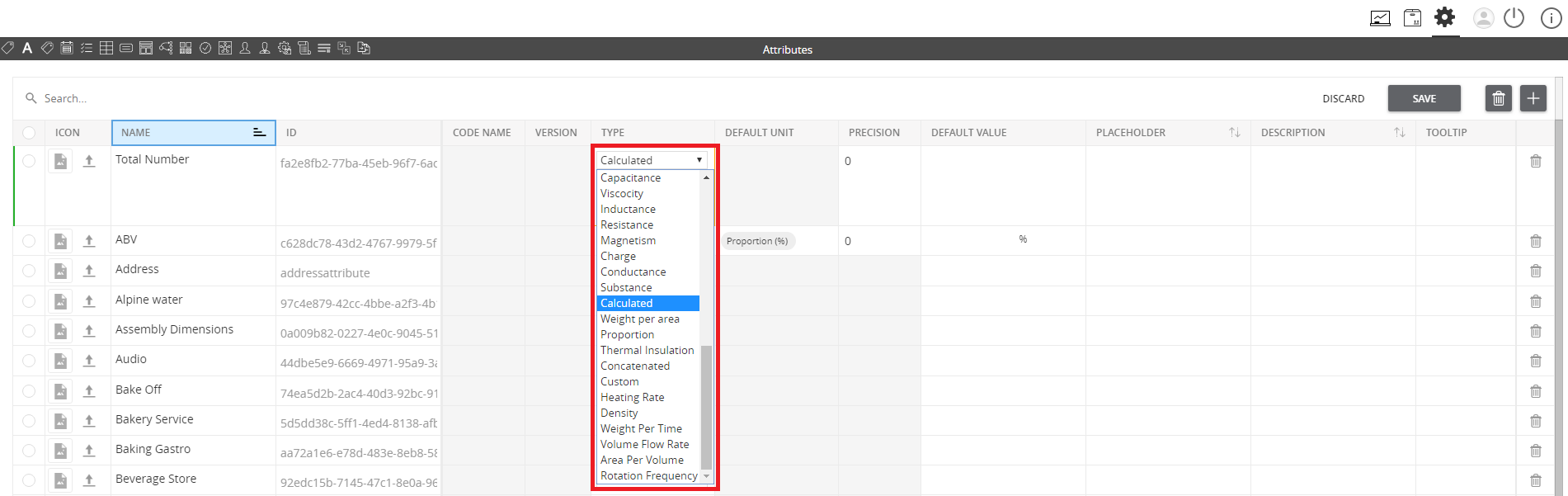
  1. Set the type to Calculated attribute.
../../../../../_images/managecalculatedattributes_createacalculatedtypeattribute.PNG


  1. Enter a formula in the Calculated Formula section. Click on the field and a pop-up window will appear.
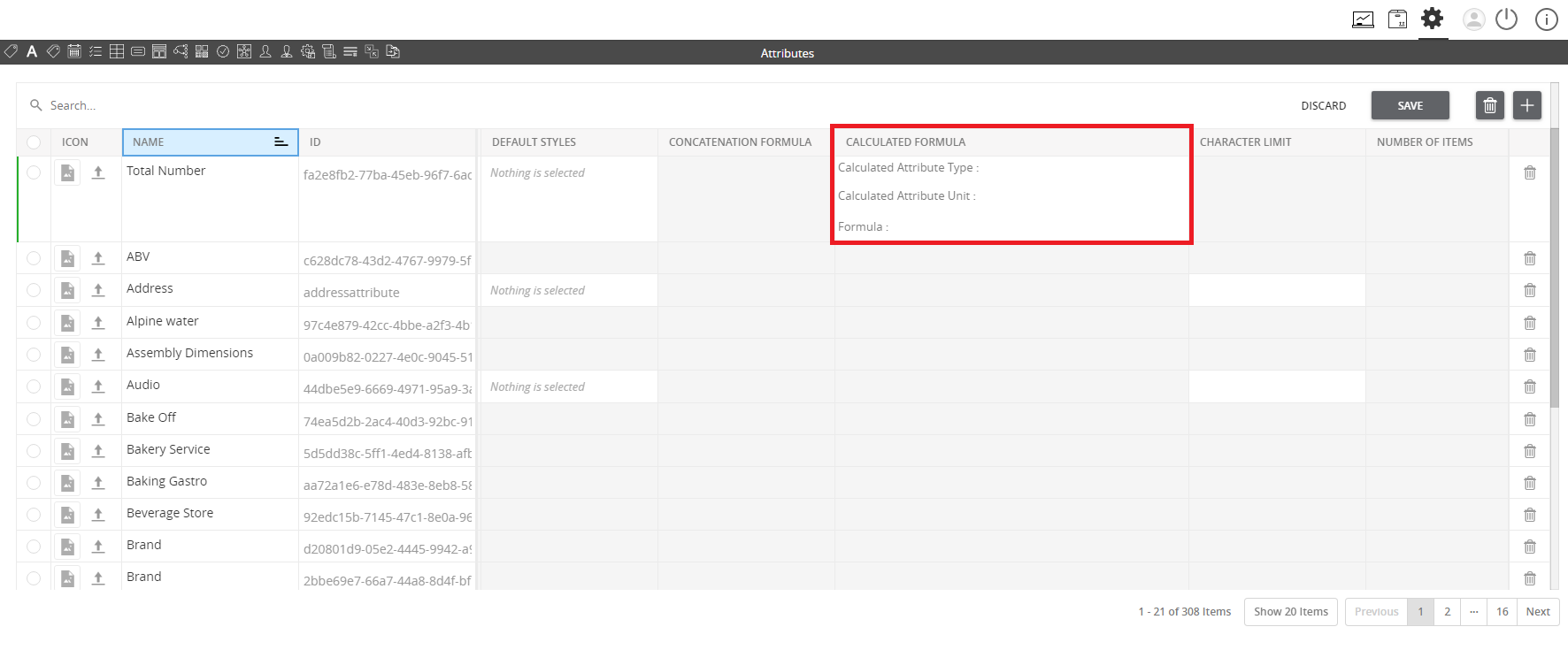
../../../../../_images/managecalculatedattributes_enteraformula.PNG


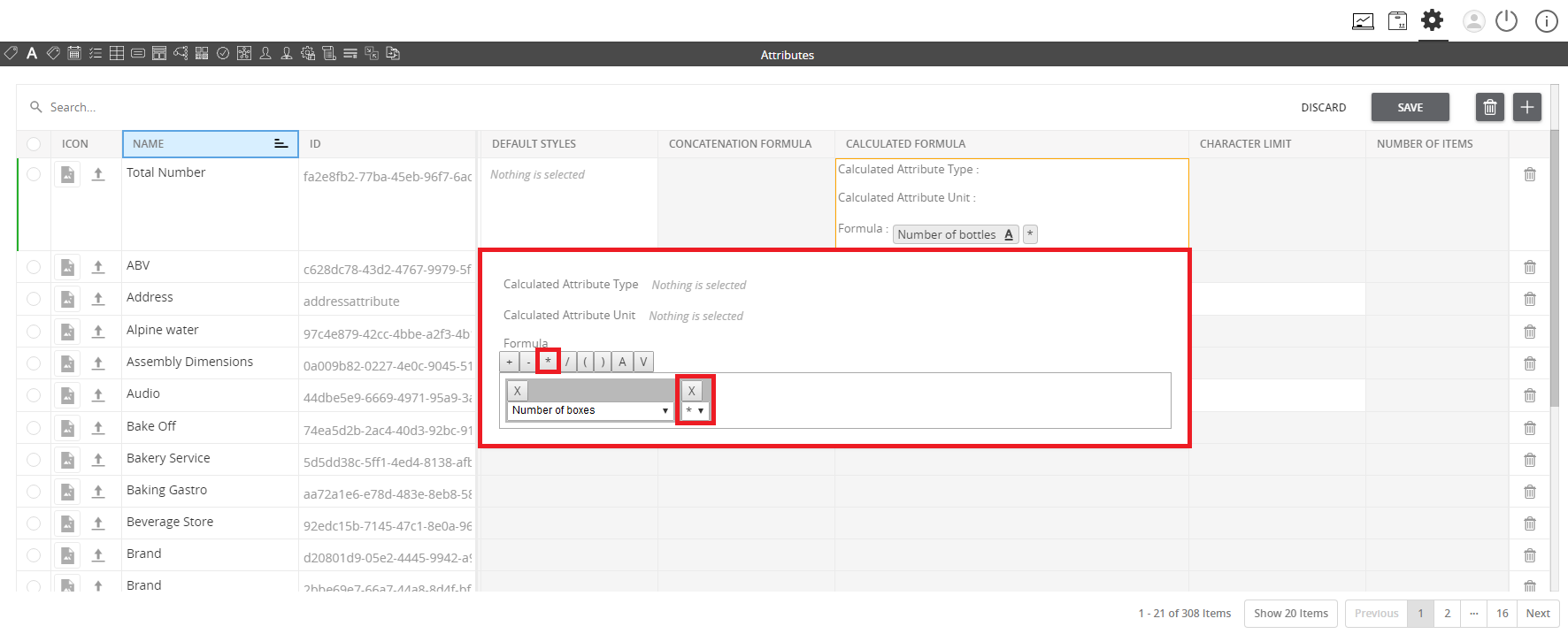
  1. Define the formula by selecting the Attributes (A), Operators and Values (V), shown respectively.
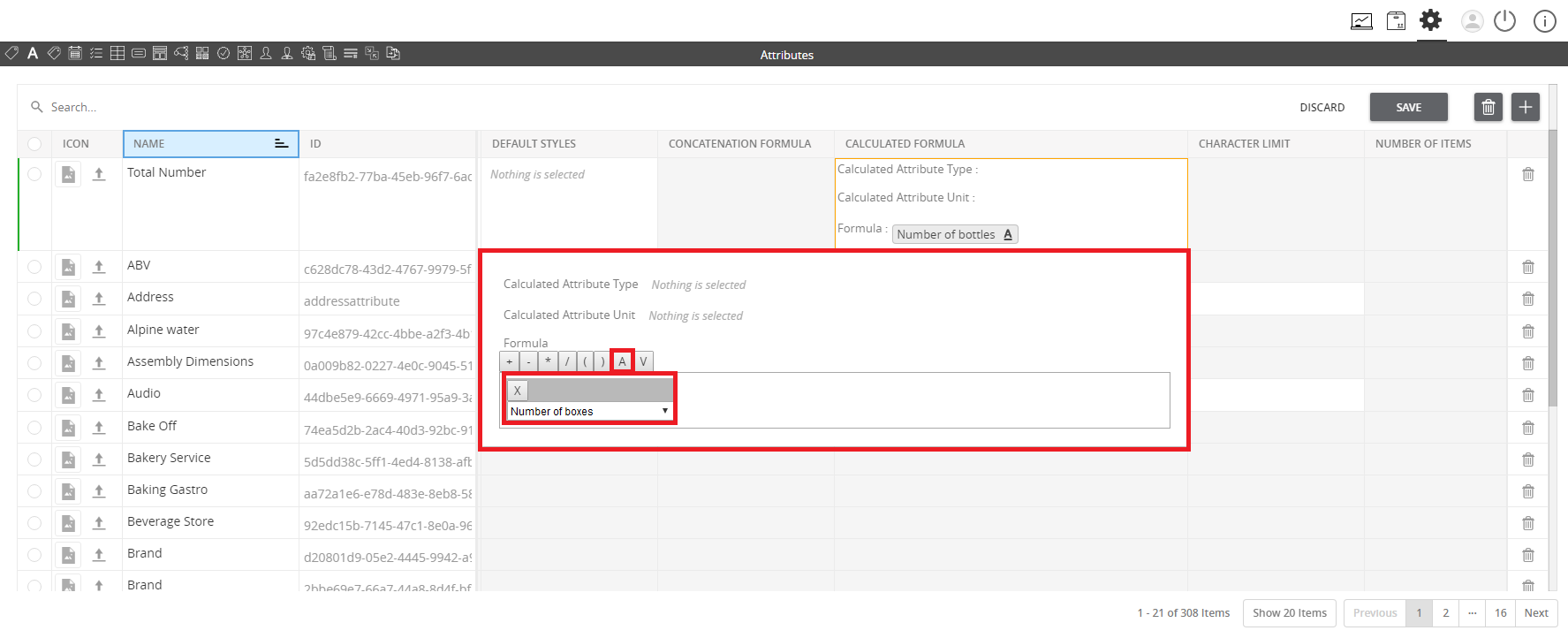
../../../../../_images/managecalculatedattributes_definetheformula.PNG

../../../../../_images/managecalculatedattributes_definetheformula2.PNG

../../../../../_images/managecalculatedattributes_definetheformula3.PNG

Note: The attribute will be calculated and auto-populated once the variables (other attributes) used in the formula have been provided with values.

Contentserv line

Last updated: Jul 27, 2018