
Effortless File Transfer
The straightforward onboarding process allows the partners to transfer their data to various catalogs (Onboarding/PIM) in an effortless manner.
Prerequisites
- Onboarding sheet
- Endpoints
- Roles
Key Terms
- Data Integration: the Data Integration section defines the entire process of importing a file into the system and exporting a file from the system.
- Workflow: the workflow section defines the structure and components of a file that is to be imported into the system or exported from the system.
Steps to Transfer a File
- Log in to the application.
- Click on the Explore icon and go to Data Integration.
- Click on the File Uploads link of the created endpoint.
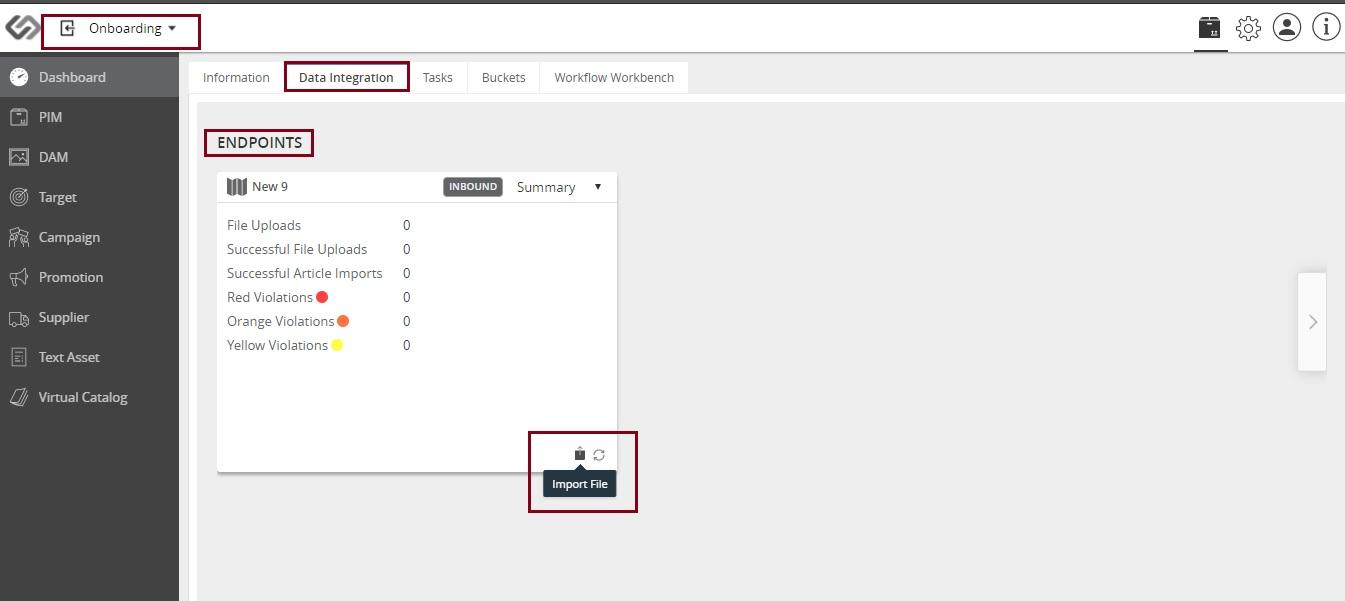
- Click on the Import File icon and upload the onboarding file to the supplier’s Data Integration tab.
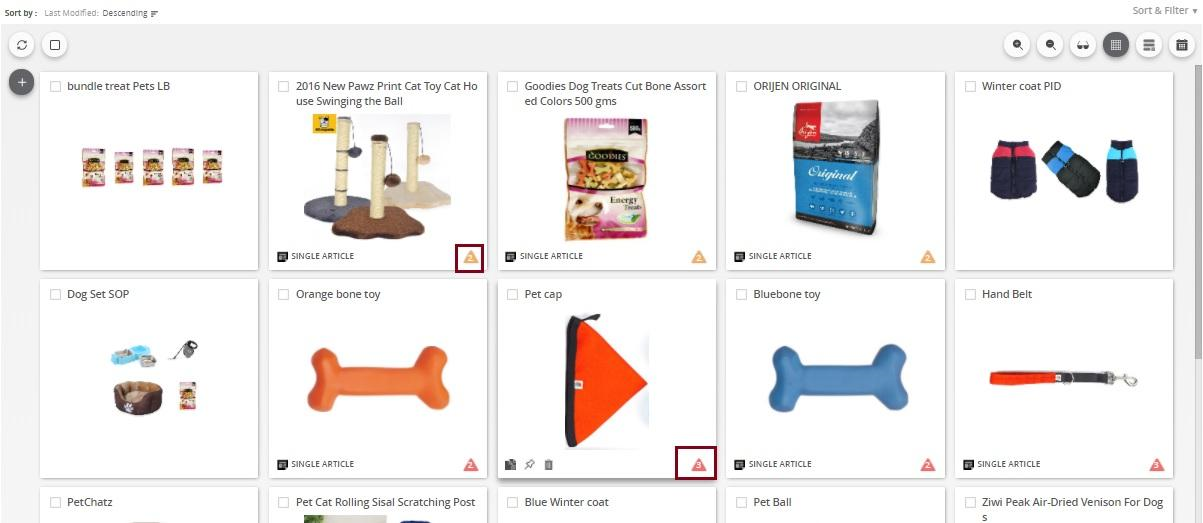
- Click on the Catalog tab to check for data violations. Note: The violations are shown in red, orange, and yellow color against each product. The products with red violations are not pushed into the PIM system.
- Click on the Media tab to see all the media files. These media files are mapped with their respective articles.
- Click on the Catalog tab.
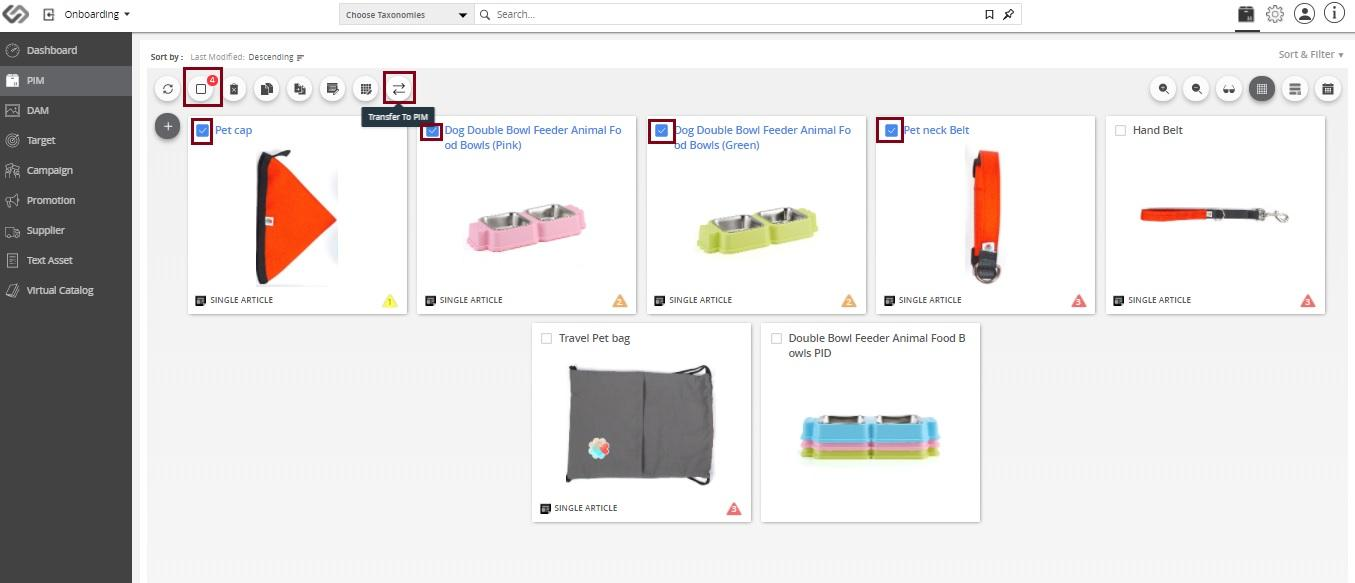
- Select all the products that are needed to be transferred to Onboarding or PIM portal (Self).
- Click on the Transfer icon and select Transfer To PIM or Transfer To Onboarding option.

Last updated: Jul 27, 2018