Help Center

Search within Taxonomy

The Search within Taxonomy feature allows a user to search (for an article or a product) or to navigate within the system.

Key Term:
  • Taxonomy: a taxonomy is a scheme of classification used for an organization’s products.
Description:
  • This feature allows a user to search for an article or product or to navigate the system.
  • This feature provides a classification of products that gives a user the ease to search.
  • This feature provides a user a hierarchy of categories in the Taxonomy that can be used for navigation.
Related topics:
Application:
  • This feature is used to search for a product using the taxonomy.

  • Example:

    If a user wants to search for a product or navigate the system, the user can use the Taxonomy Hierarchy that has been used to describe the product.

How-to: Search within Taxonomy

To do a search within taxonomy, follow these steps:


  1. Log in and go to PIM.


  1. Click on the Choose Taxonomies box next to the Search Bar.
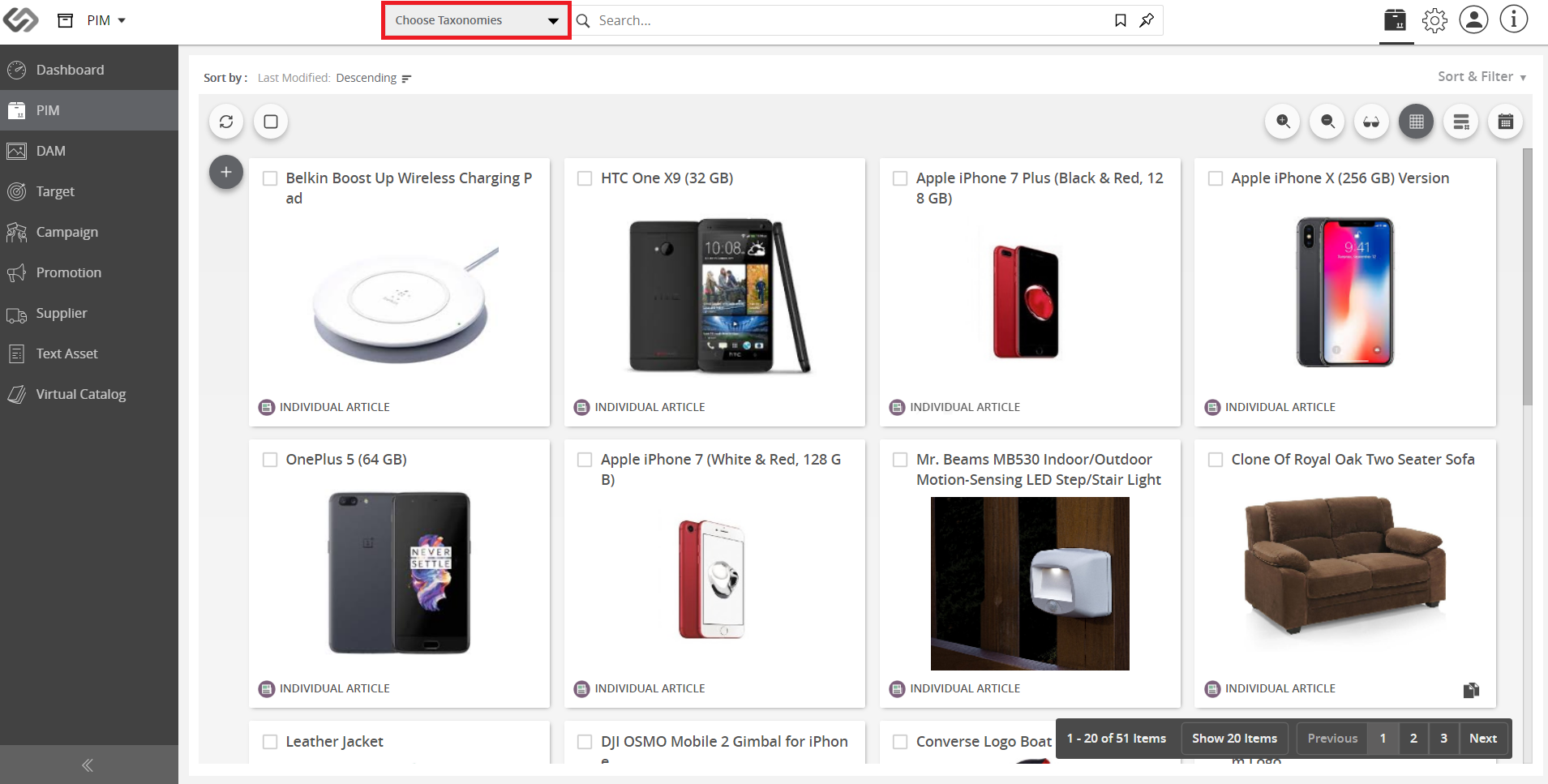
../../../../../_images/cs_searchwithintaxonomy_clickonchoosetaxonomies.PNG


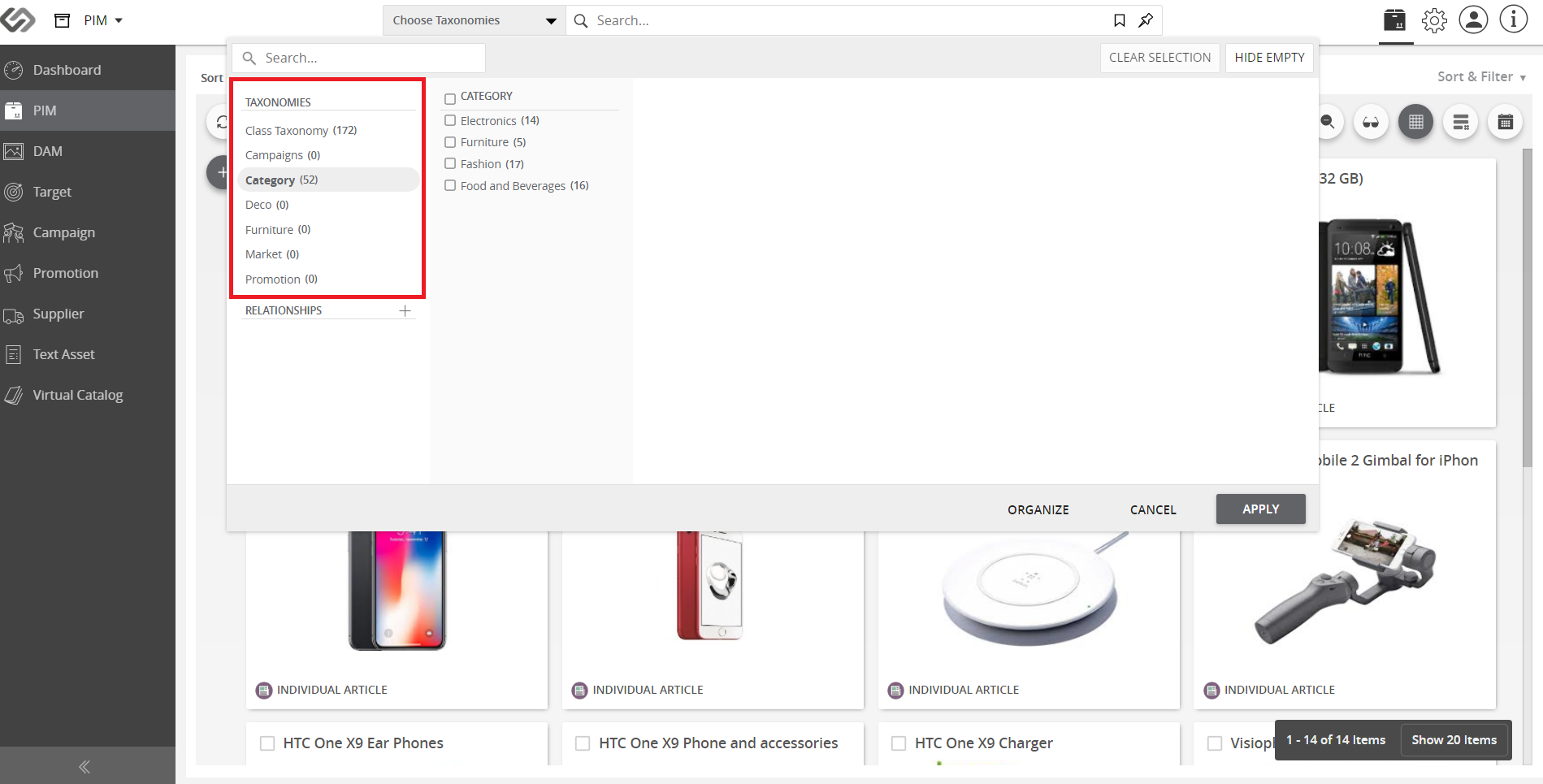
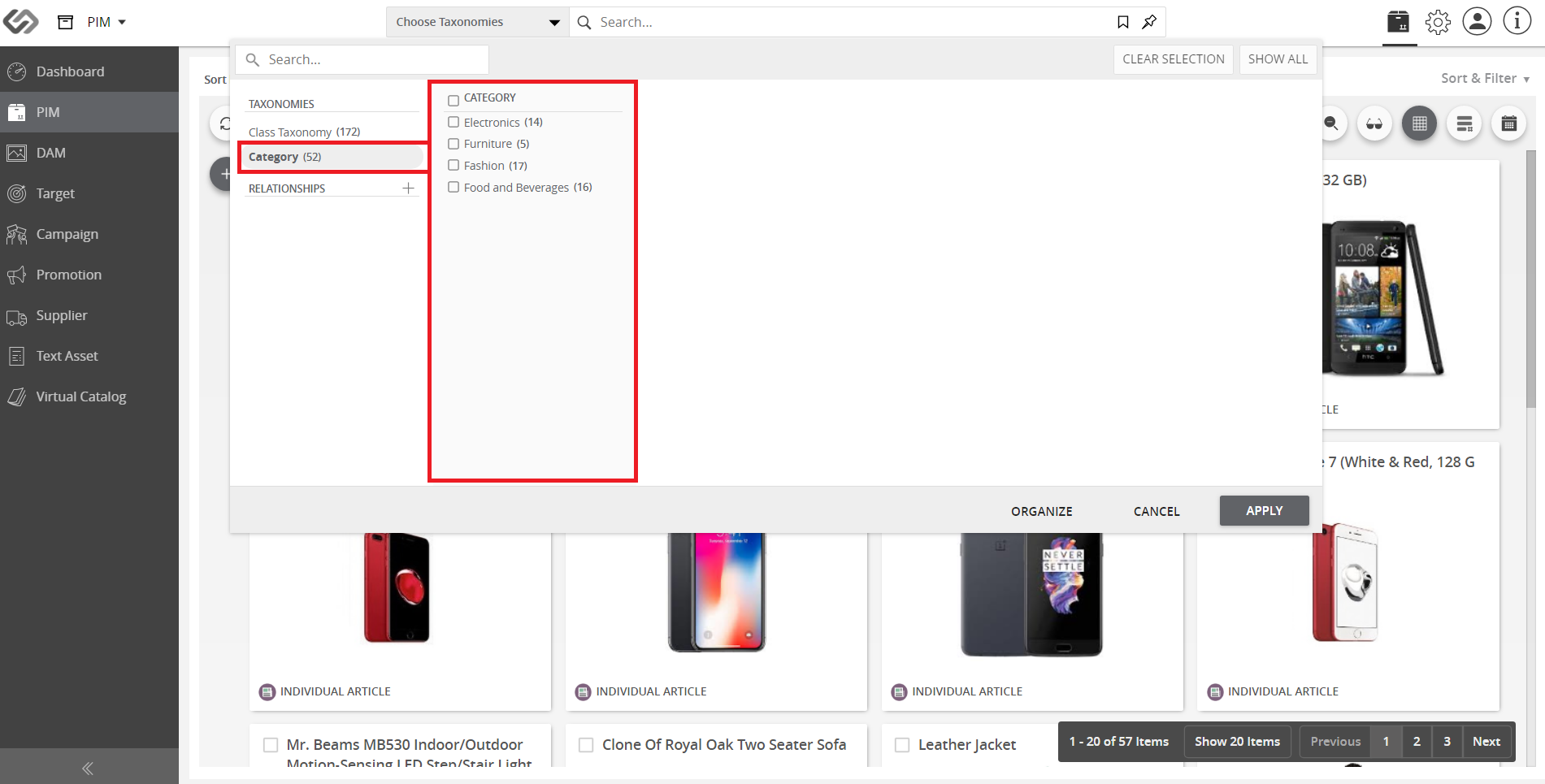
  1. Select a Taxonomy (e.g. Category). Once selected, the children nodes will appear.
../../../../../_images/cs_searchwithintaxonomy_selectataxonomy.PNG


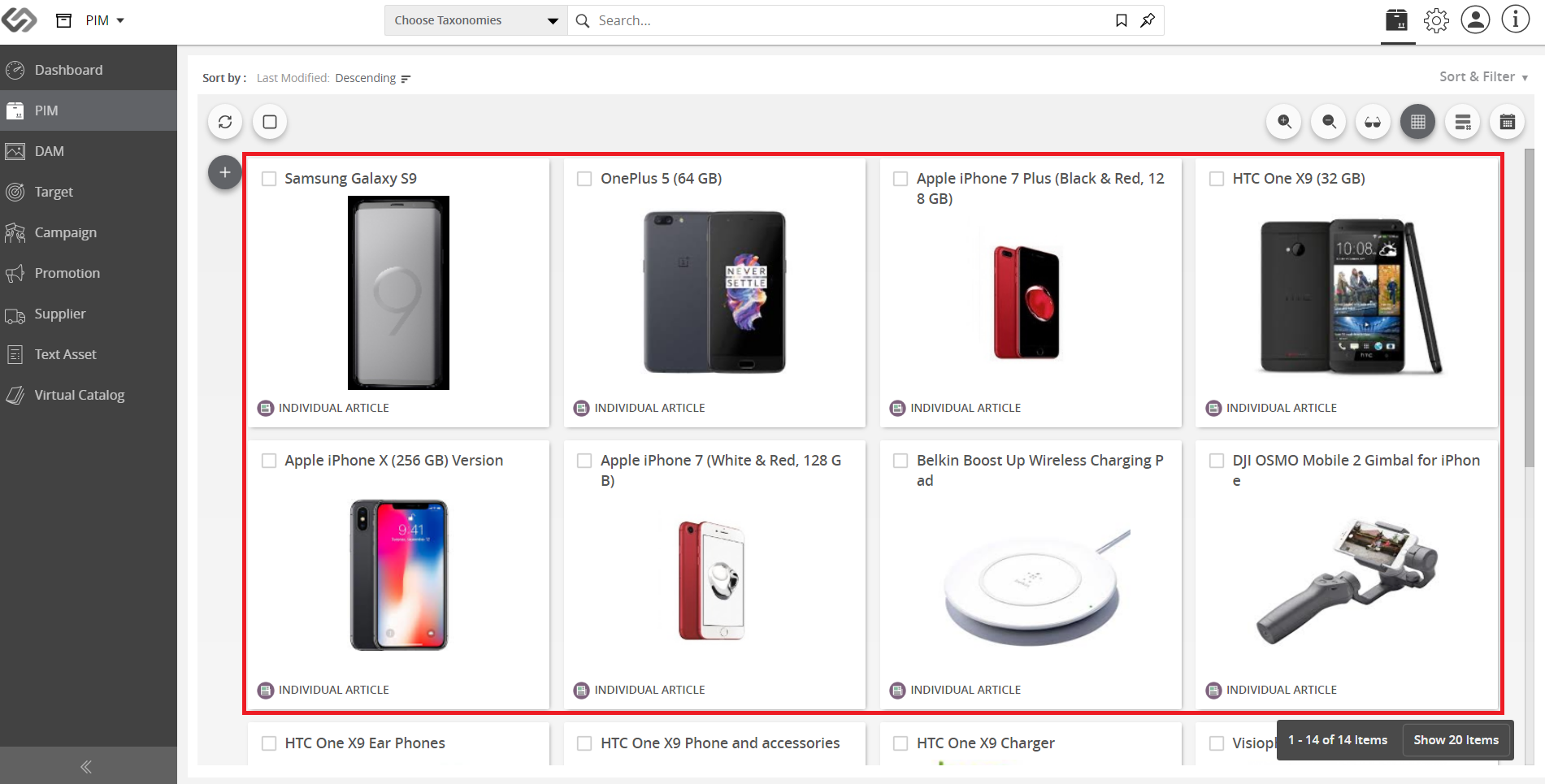
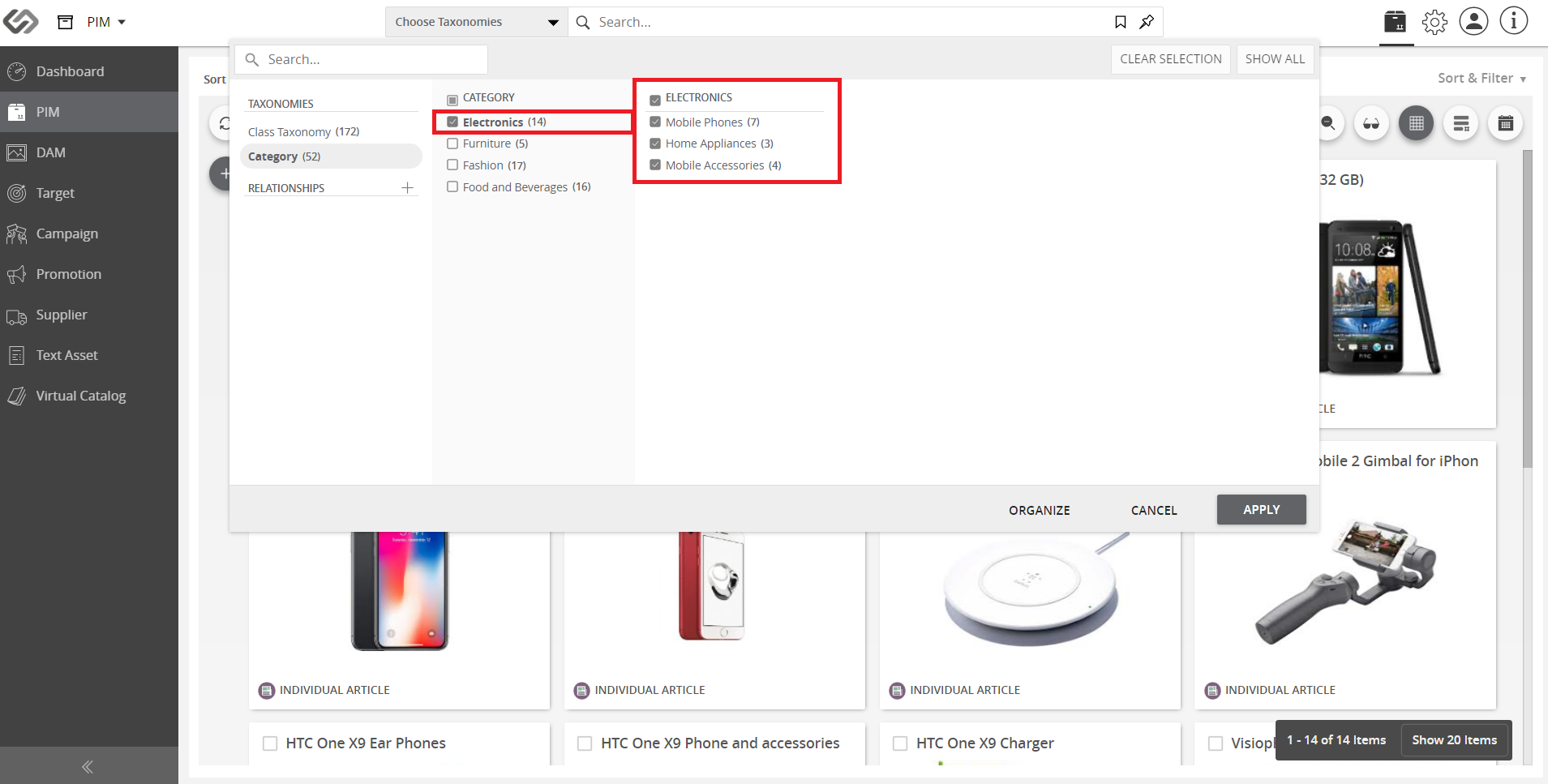
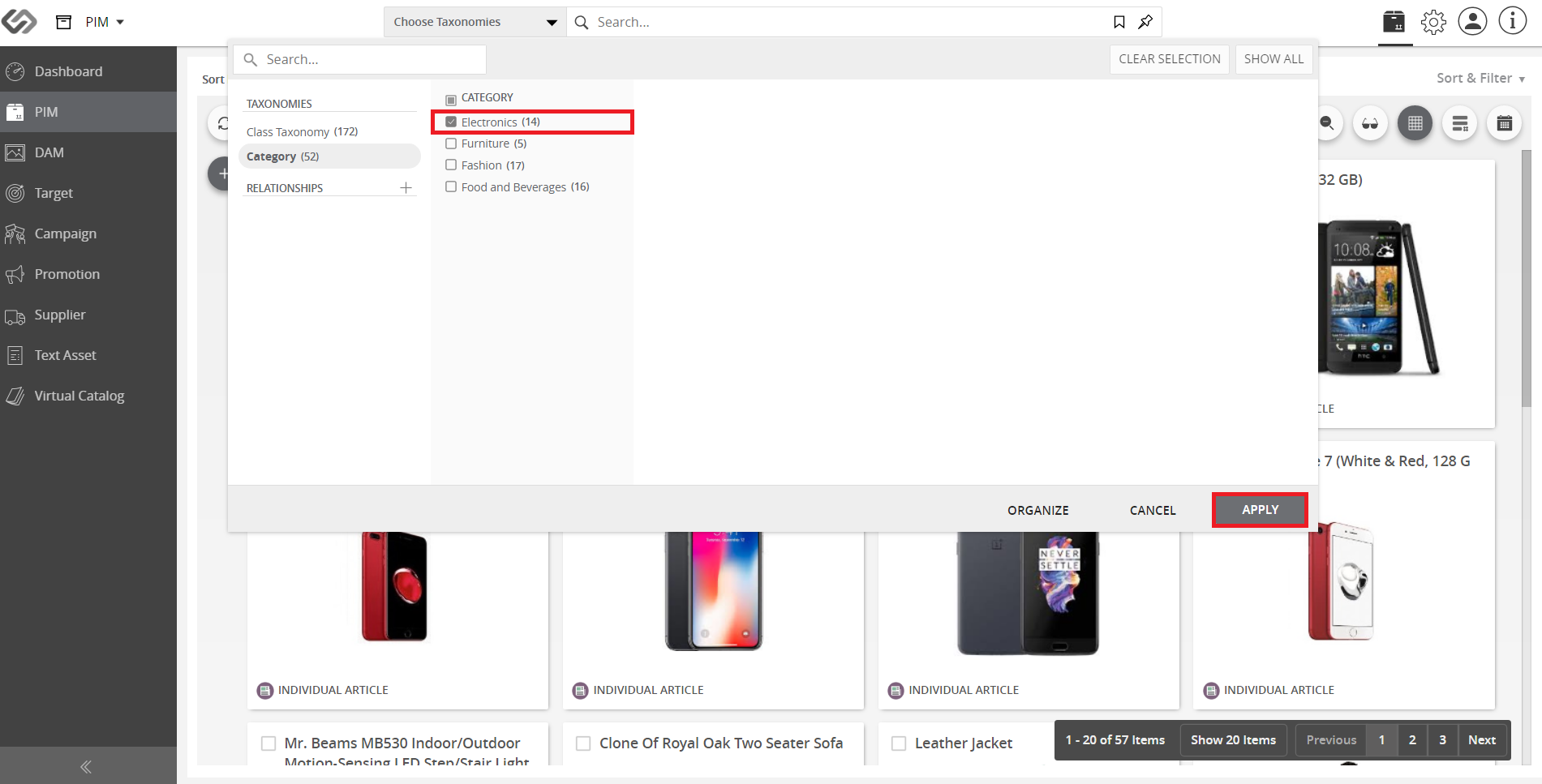
  1. Tick on the checkbox of the selected category, then click the Apply button to display the products that belong to that specific node.
../../../../../_images/cs_searchwithintaxonomy_tickonthecheckbox.PNG

../../../../../_images/cs_searchwithintaxonomy_tickonthecheckbox2.PNG


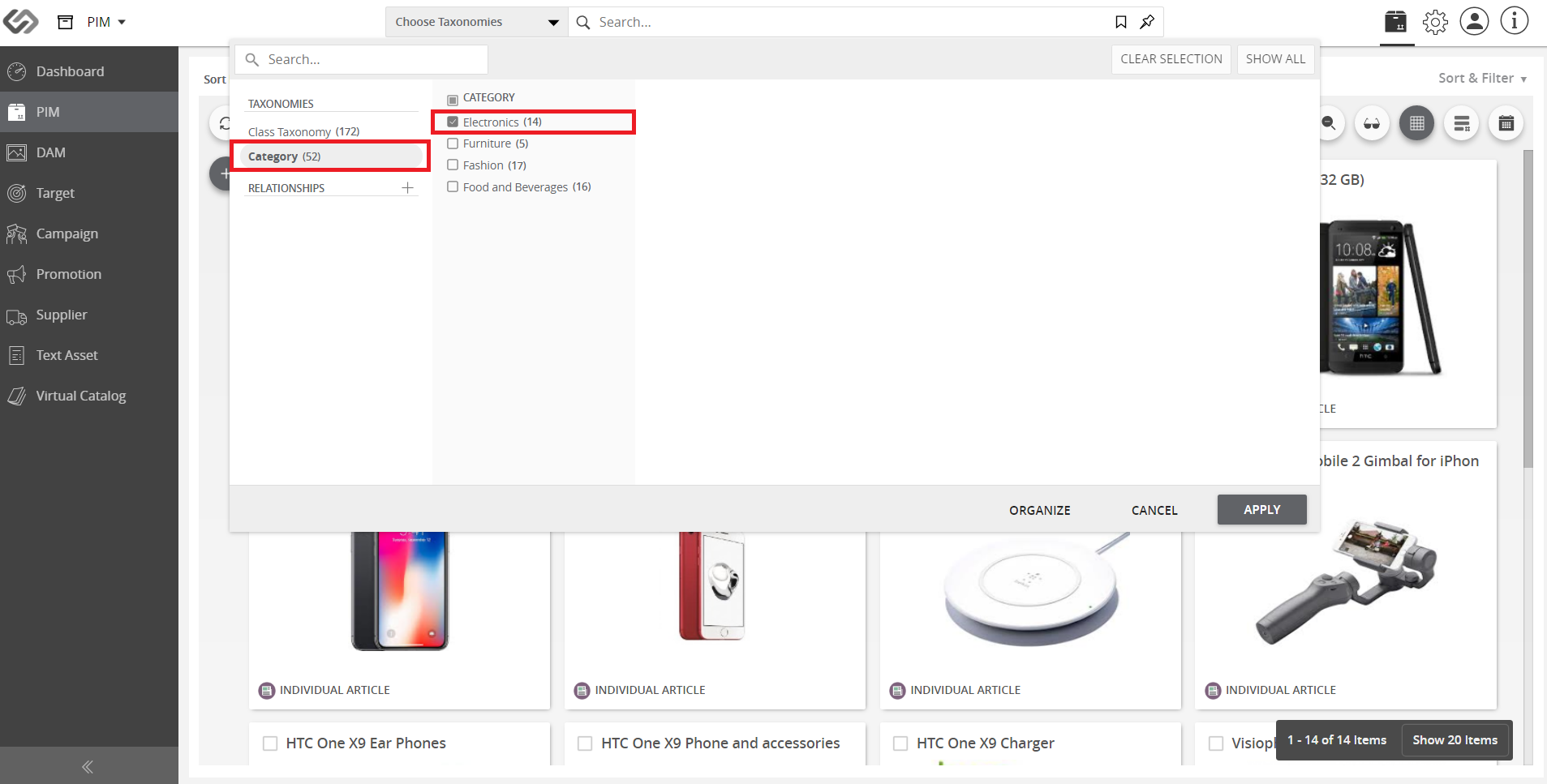
  1. Click on a node to display its children nodes (along with the respective product count). The selected node is highlighted in bold text.
../../../../../_images/cs_searchwithintaxonomy_clickonanode.PNG

../../../../../_images/cs_searchwithintaxonomy_clickonanode2.PNG


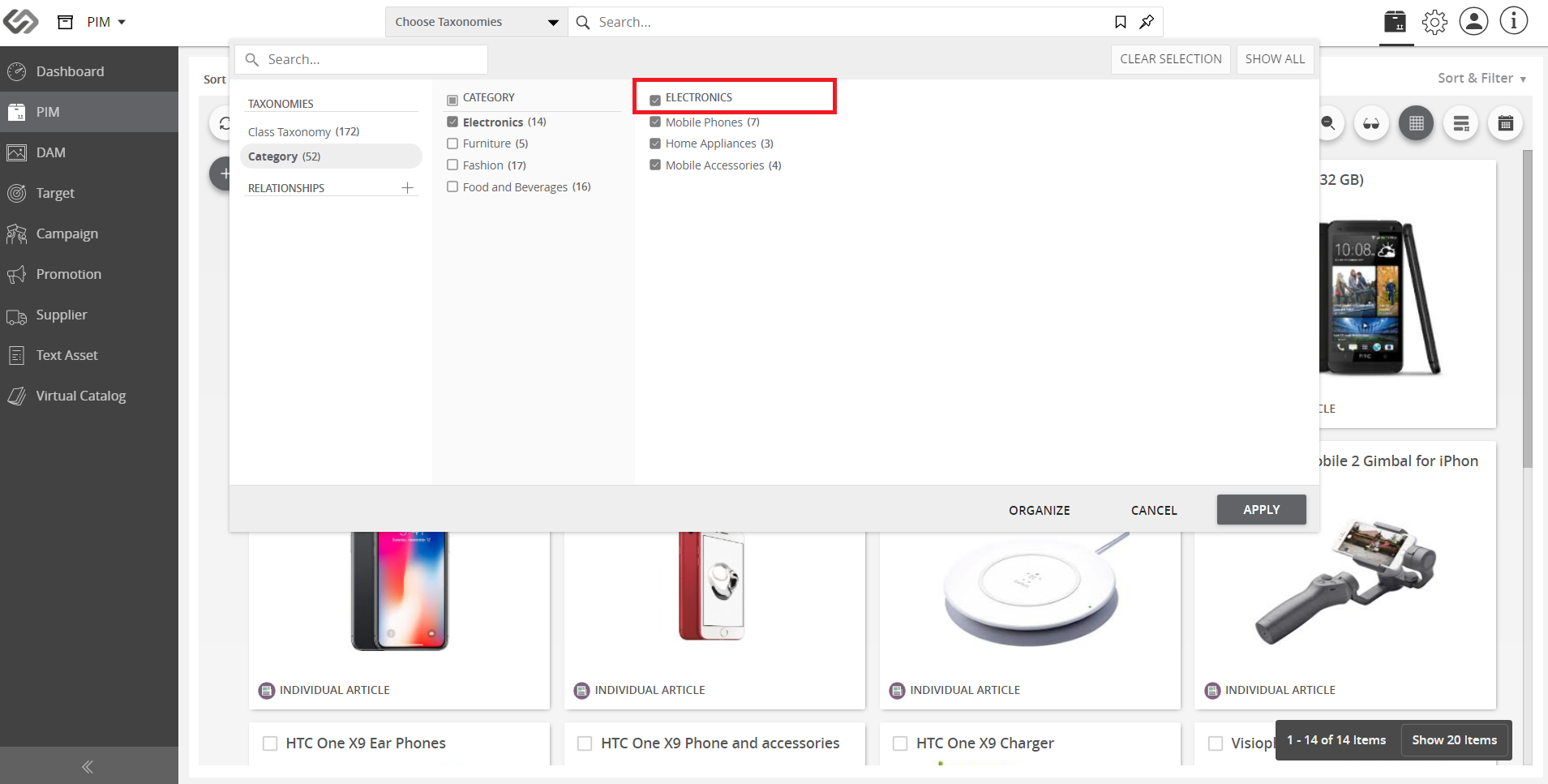
  1. Tick on the checkbox of the title heading to select all children nodes at once.
../../../../../_images/cs_searchwithintaxonomy_tickonthetitleheading.PNG


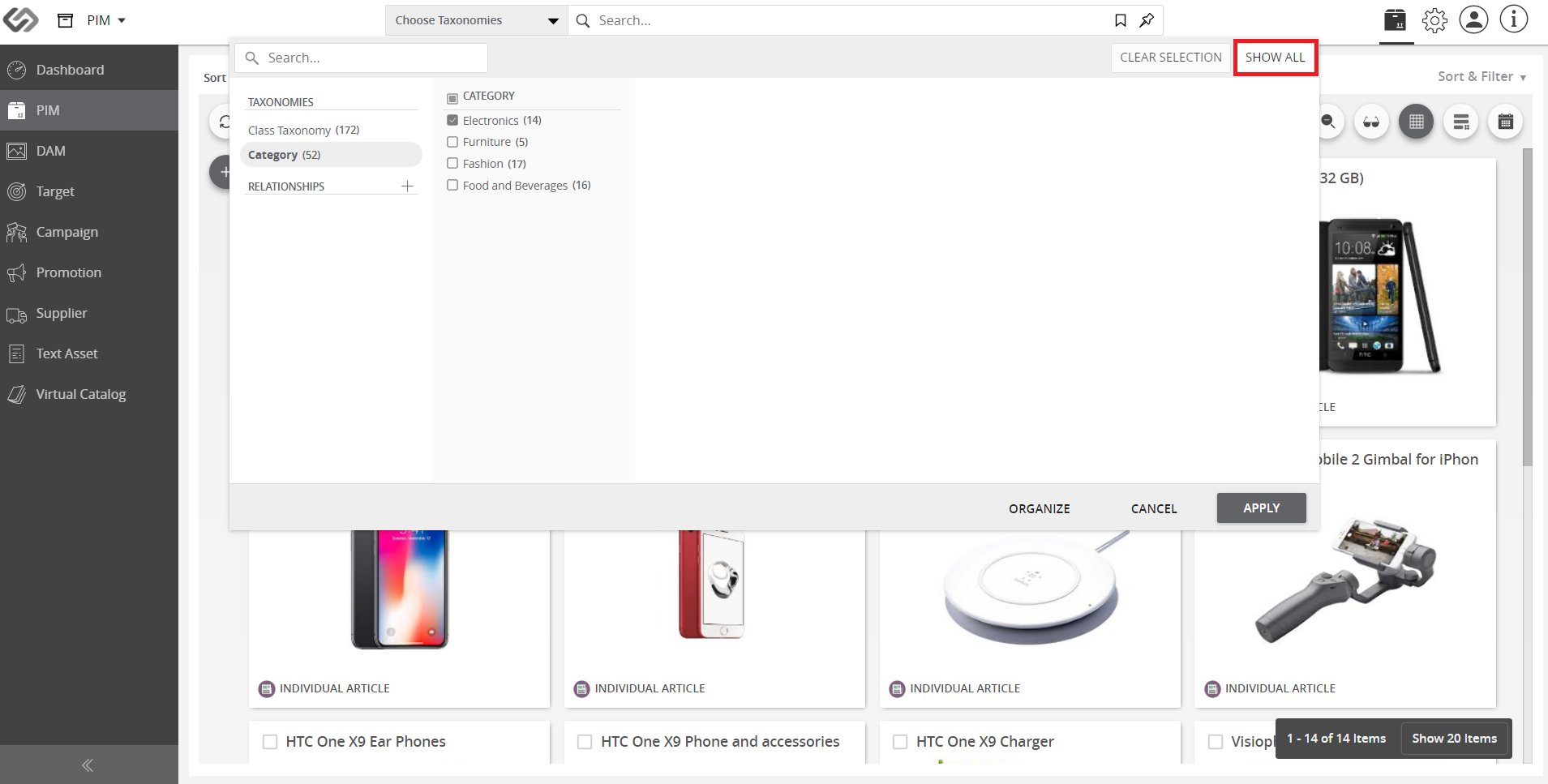
  1. To view the entire taxonomy tree structure including the blank nodes, click the Show All button.
../../../../../_images/cs_searchwithintaxonomy_toviewtheentire.PNG

../../../../../_images/cs_searchwithintaxonomy_toviewtheentire2.PNG


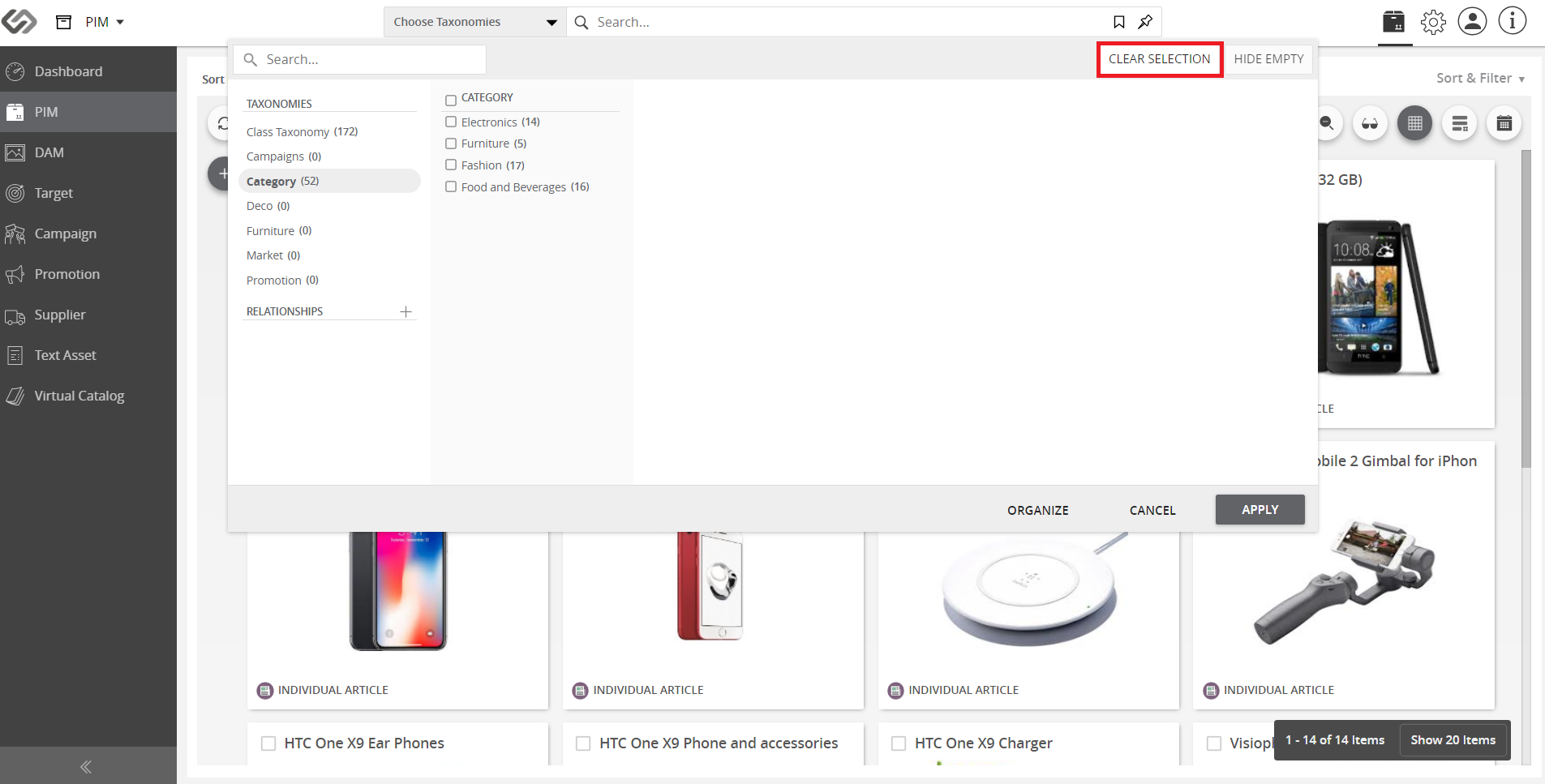
  1. Click the Clear Selection button to reset all selected taxonomy nodes.
../../../../../_images/cs_searchwithintaxonomy_clicktheclearselection.PNG


Contentserv line

Last updated: Jul 27, 2018