Help Center

Creating a Partial Clone

Creating a Partial Clone is a feature that allows users to create partial clones in which only selected properties of the original product are cloned.

Key Term:
  • Property: a data field which describes a product, can also use ‘attribute’.
Description:
  • A partial clone of a product contains a subset of the features of the original product as defined by a filter.
  • Creating a partial clone allows to selectively clone the values that need to be cloned.
  • New data can be added, and additional changes can be pushed to the cloned product.
Related topics:
Application:
  • A partial clone only allows to clone product values that are selected beforehand.

  • Relationships to be copied should also be selected beforehand.

  • A partial clone is created within a product.

  • Example:

    Suppose a product is to be duplicated without certain values and relationships. Since the copy may have a different supplier, image, or market, we can create a partial clone wherein the relationships and attributes that are not to be copied can be left unchecked.

How-to: Creating a Partial Clone

This How To guide provides instructions on how to create a partial clone. To do this, follow these steps:


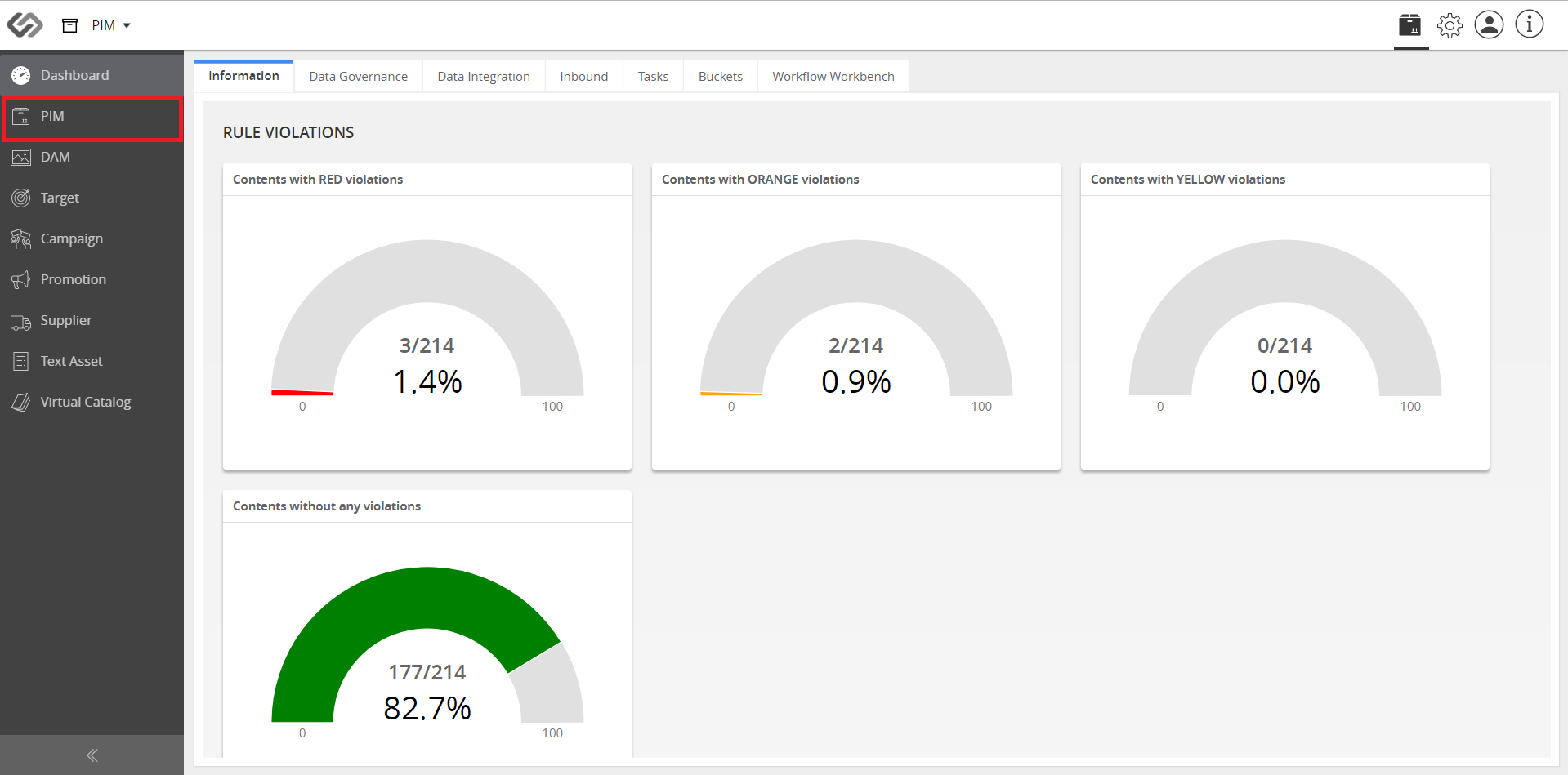
  1. Go to PIM.
../../../../../_images/cs_partialclone_gotopim.PNG


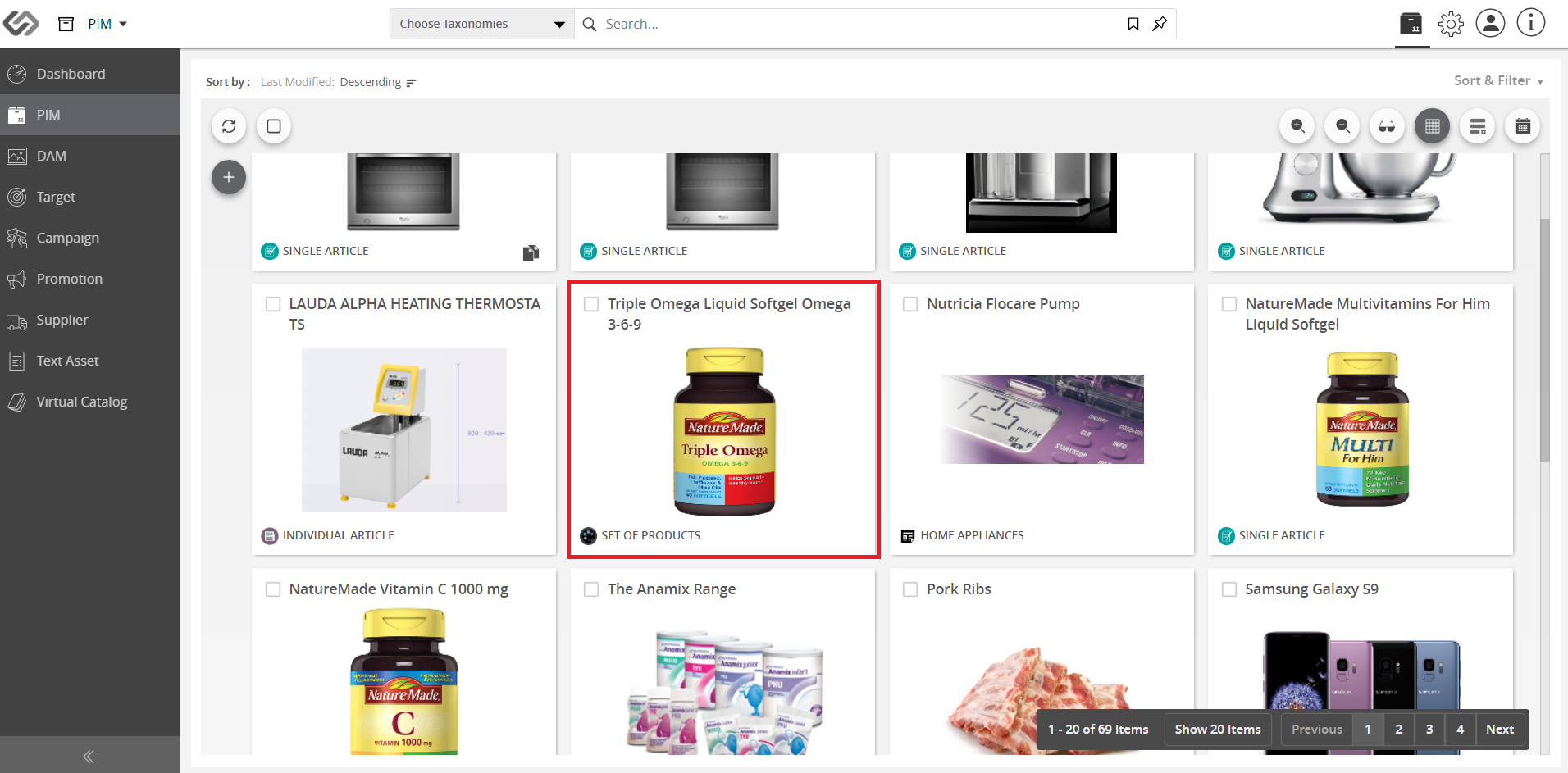
  1. Select a product.
../../../../../_images/cs_partialclone_selectproductb.PNG


  1. On the top right section, click More Options.
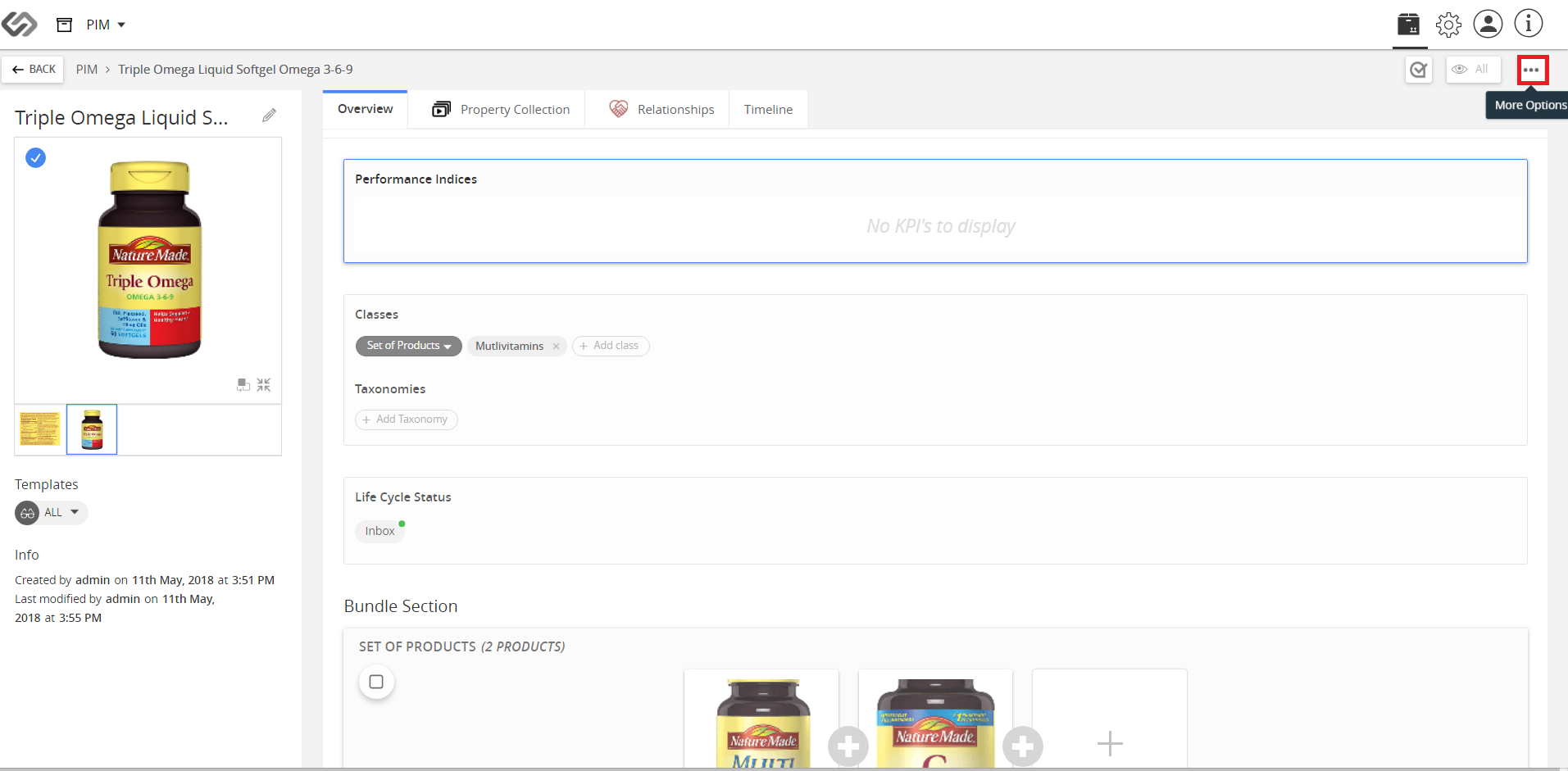
../../../../../_images/cs_partialclone_clickmoreoptions.PNG


  1. Then, click Clone. A list of all categories related to Attributes, Tags and Relationships will appear.
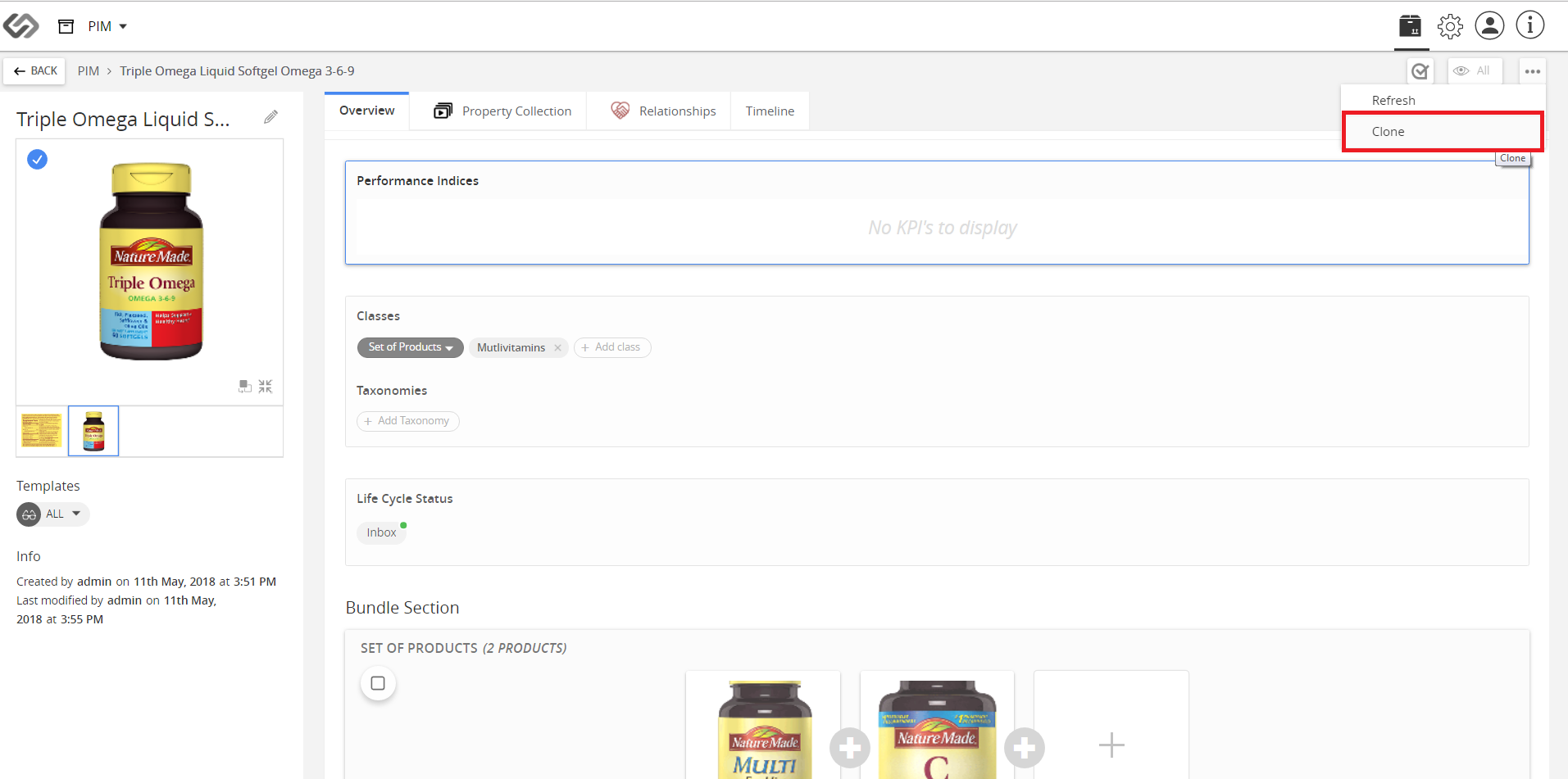
../../../../../_images/cs_partialclone_clickclone.PNG


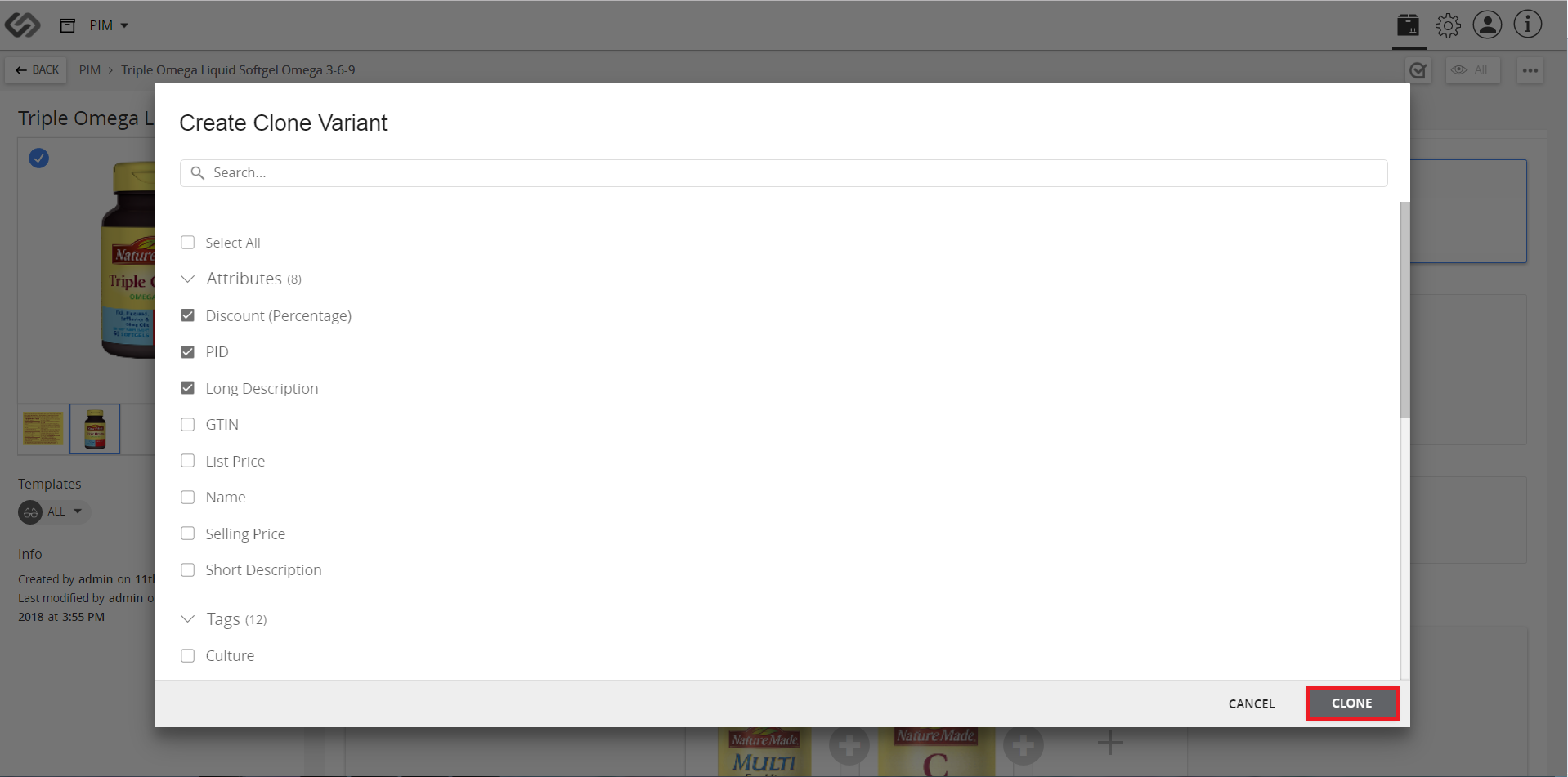
  1. Click on any category and click on the features that are to be copied to the new product.
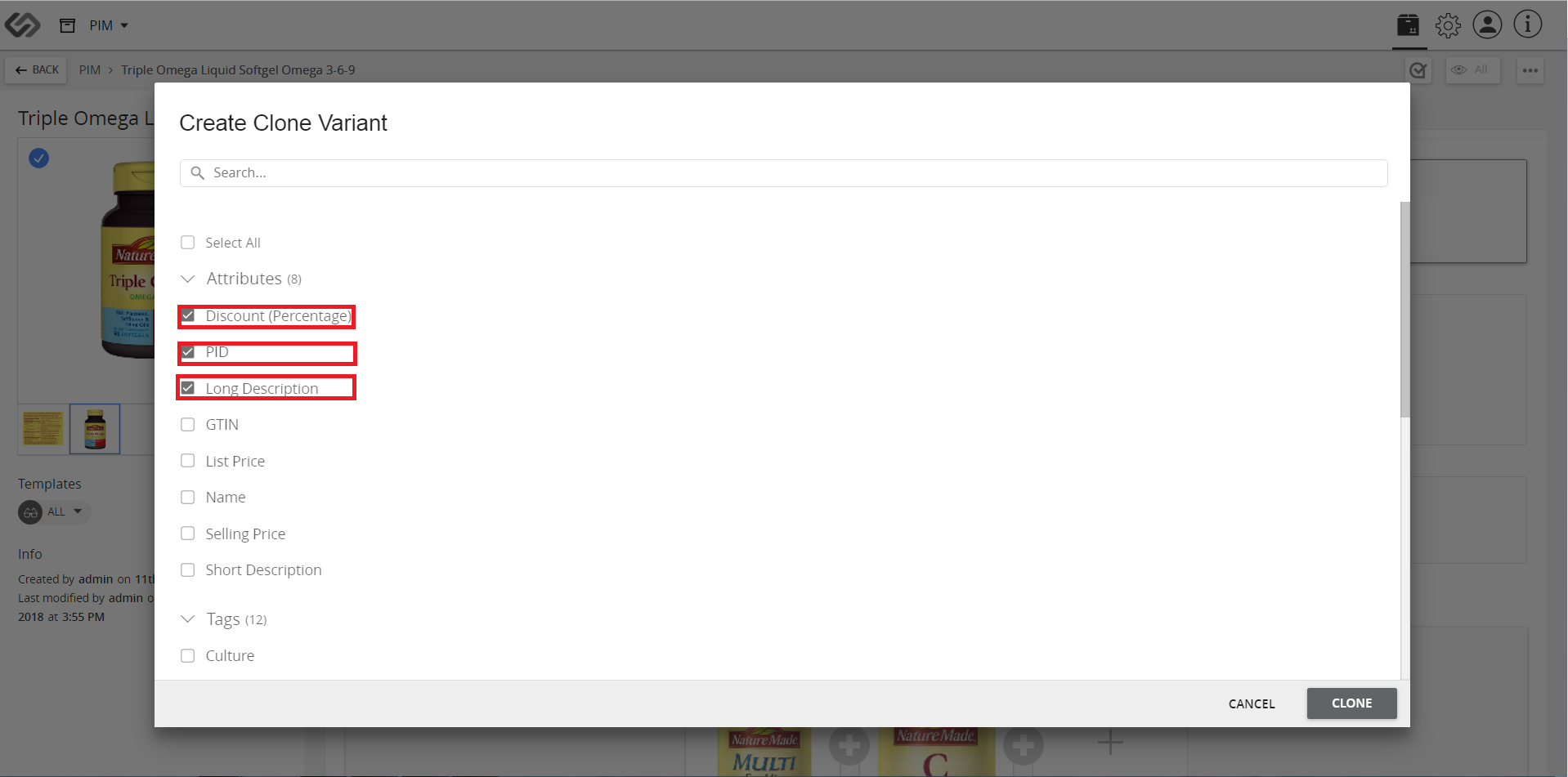
../../../../../_images/cs_partialclone_clickanycategory.PNG


  1. Click Clone.
../../../../../_images/cs_partialclone_clickcloneb.PNG


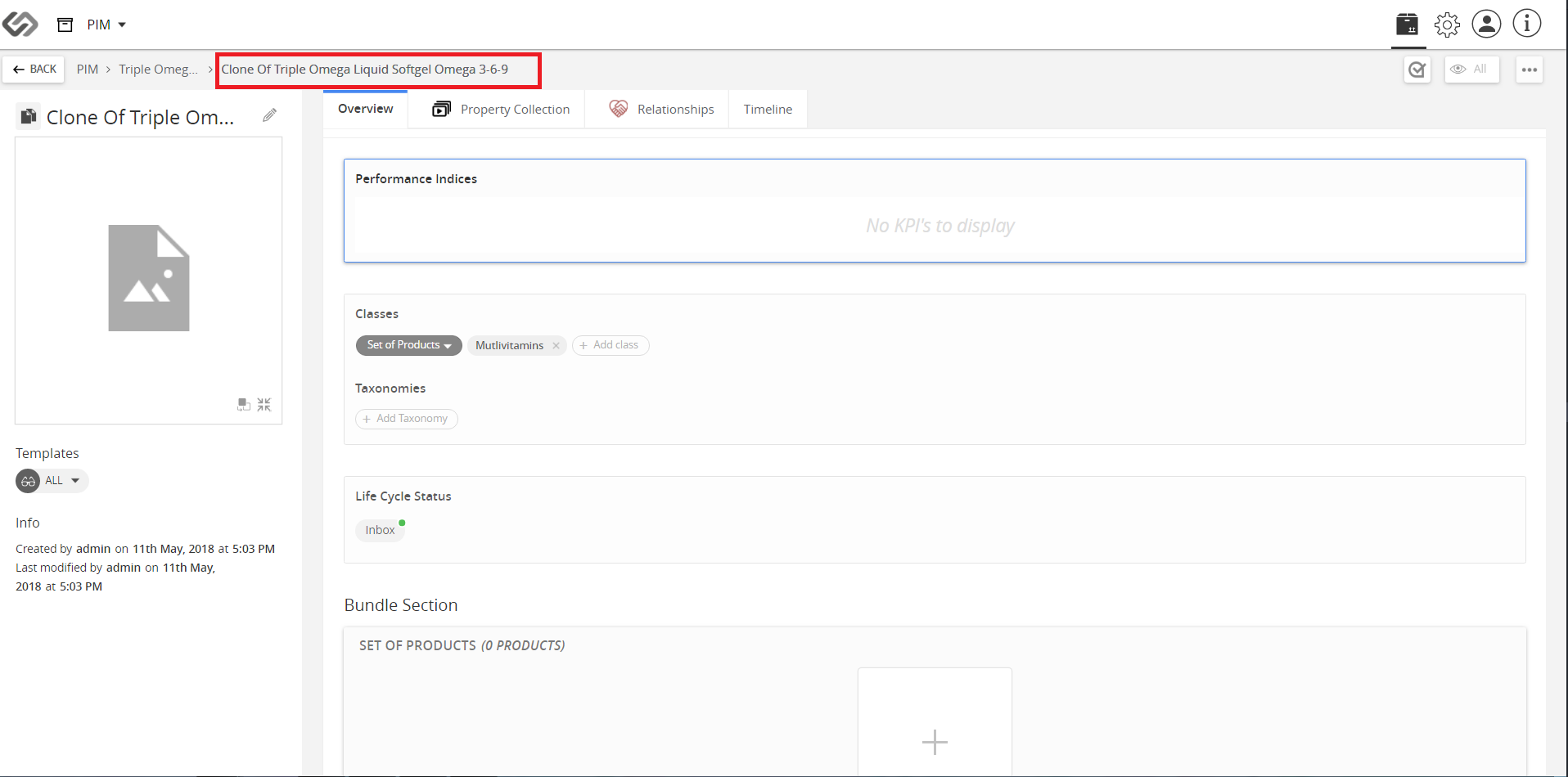
  1. Your clone product is ready.
../../../../../_images/cs_partialclone_clickproductready.PNG


Contentserv line

Last updated: Jul 27, 2018